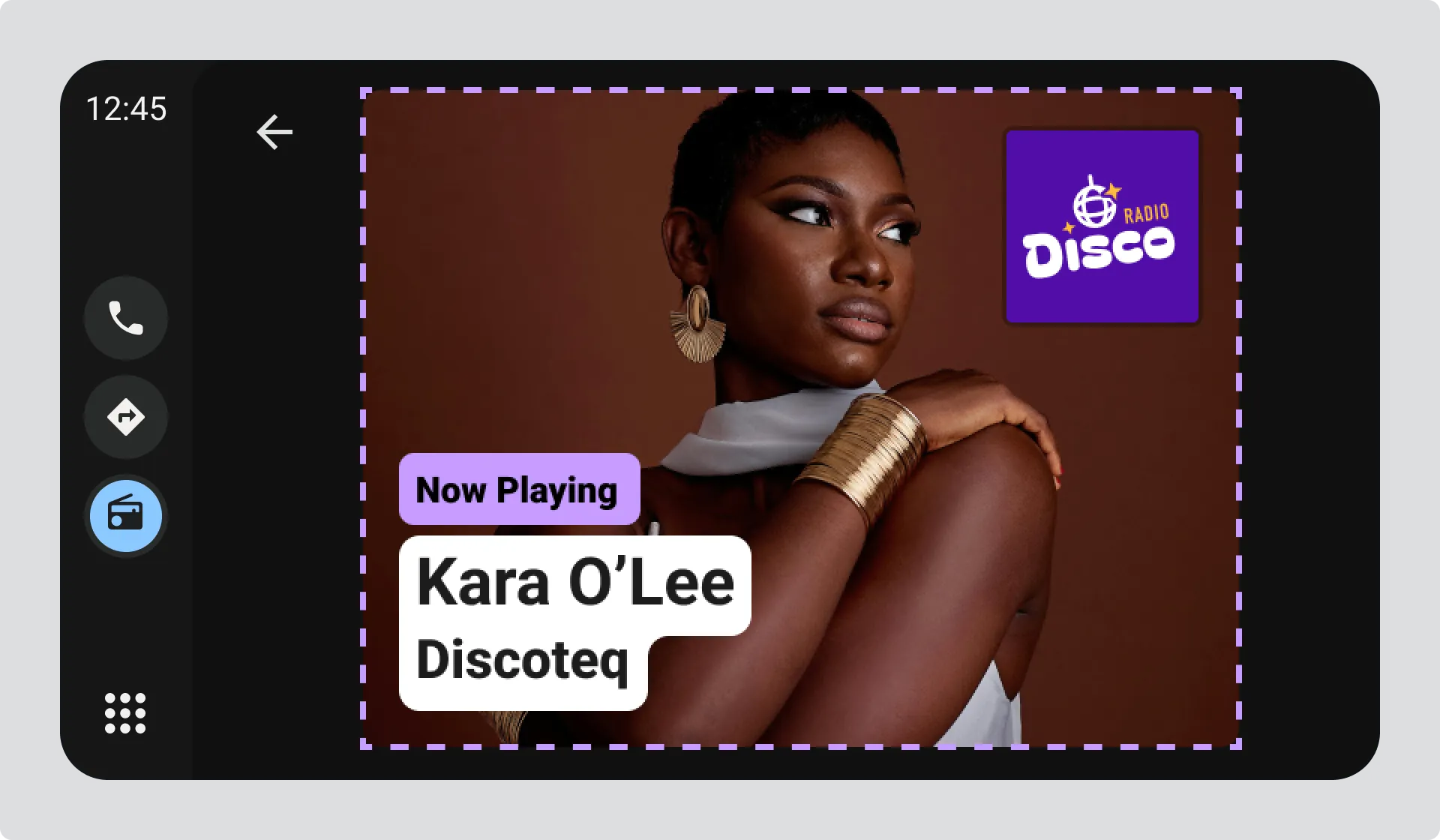
What is Visual Information
Visual Information lets you add images that tell drivers what they’re listening to right now. Wether it’s a track, a programme or an advert.

Visual Information is provided as a single JPG or PNG image. When creating the image, consider:
- Make it relevant to what’s being heard, like the current song title and artist
- Keep it simple enough to read and understand quickly, which means limiting the amount of detail and text
- Don’t duplicate information already shown in the interface, like station name, date, time, or temperature
Where visual information appears
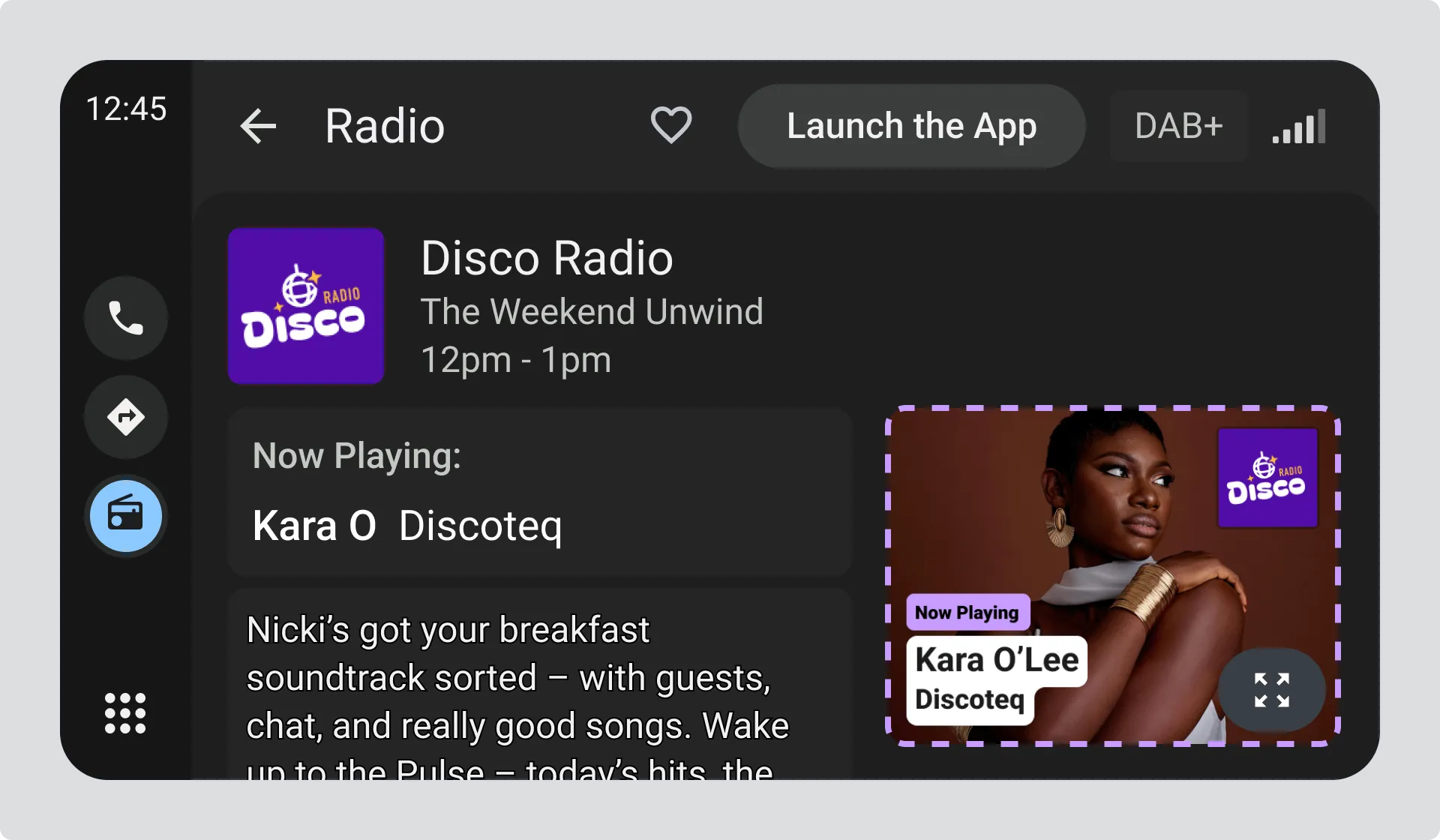
Section titled “Where visual information appears”Visual information in radio view
Section titled “Visual information in radio view”Visual information appears alongside the station logo, programme information, and text information while someone is listening.
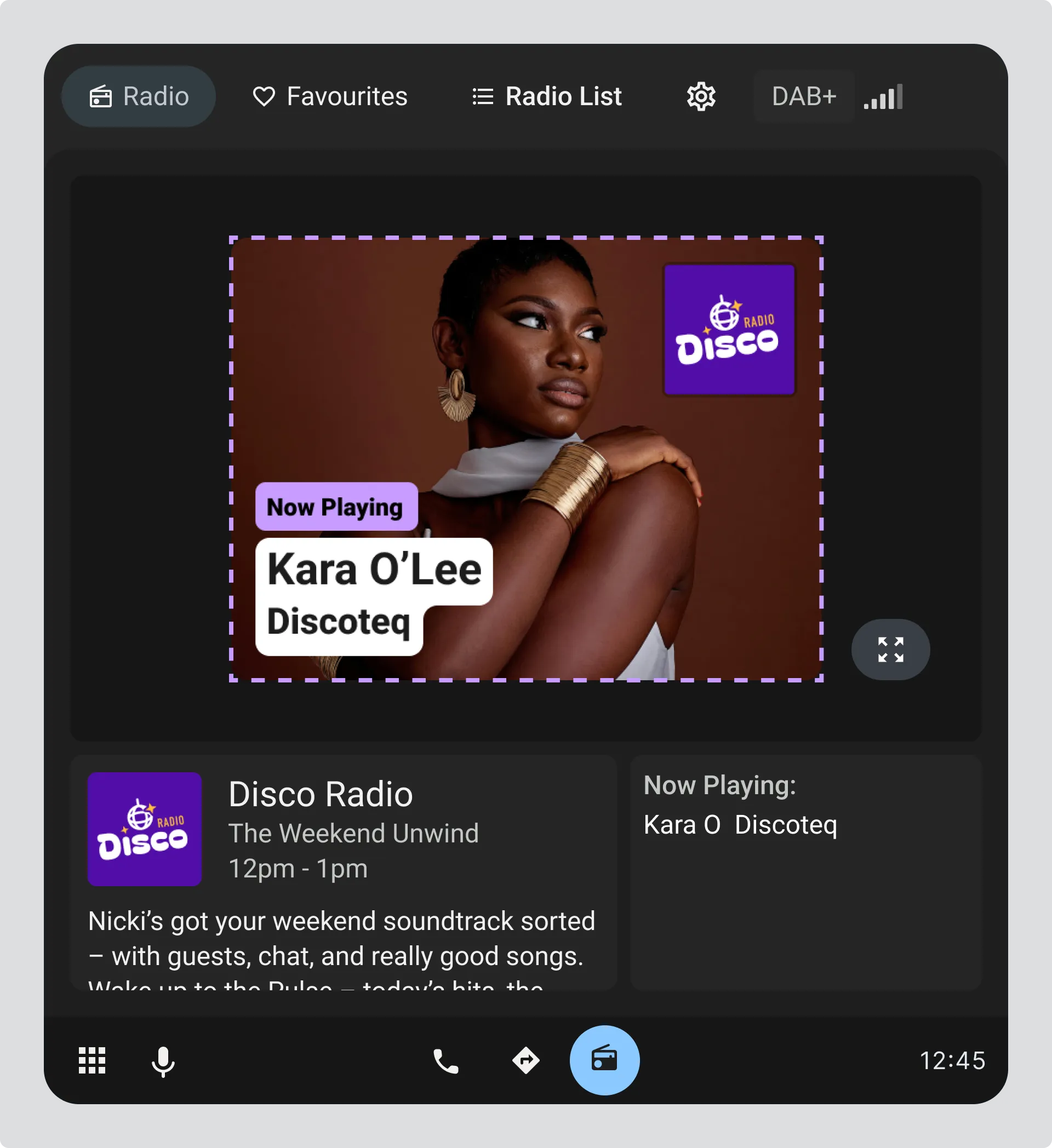
Visual information in portrait layout
Section titled “Visual information in portrait layout”In portrait layouts, visual information can be displayed slightly larger while still showing station and track details.
Visual information in expanded view
Section titled “Visual information in expanded view”Drivers can tap to expand visual information and see it at full size, making any text and details on the image easier to read.