

Radio Stations not currently receivable
Keeping drivers informed when stations aren’t available
Section titled “Keeping drivers informed when stations aren’t available”Sometimes a radio station won’t be available when someone tries to select it or while they’re listening. This can happen for a few reasons:
-
The signal has become too weak since the station list was last updated
-
The station isn’t currently broadcasting, for example, it might be a part-time service
When a station isn’t available, your system should give clear, helpful feedback that explains what’s happened. Use plain language and avoid technical jargon that might confuse drivers.
The key: Drivers should always understand the station is temporarily unavailable, not broken or permanently gone.
Handling unavailable stations
Section titled “Handling unavailable stations”Show unavailable stations in a consistent, predictable way across your interface.
This might include:
- Visual indicators in station lists like reduced emphasis, shading, or an icon showing the station is currently unavailable
- A dialog when selecting an unavailable station explaining why it can’t play right now
- A dialog if the signal is lost while listening letting them know what happened
- A dialog when recalling an unavailable preset or favourite so they understand why it won’t play
Key considerations
Section titled “Key considerations”- Clearly explain that the station isn’t currently available
- Avoid technical or signal-related terminology
- Don’t remove the station from lists or presets
- Provide clear next steps
- Keep messages short and easy to understand
Design examples
Section titled “Design examples”Station List
Section titled “Station List”Unavailable station with visual indicator
Section titled “Unavailable station with visual indicator”When displaying a list of available stations, use visual cues like reduced opacity or an icon to show which stations aren’t currently available. This lets drivers scan the list and understand at a glance which stations they can listen to right now, without having to select each one to find out.
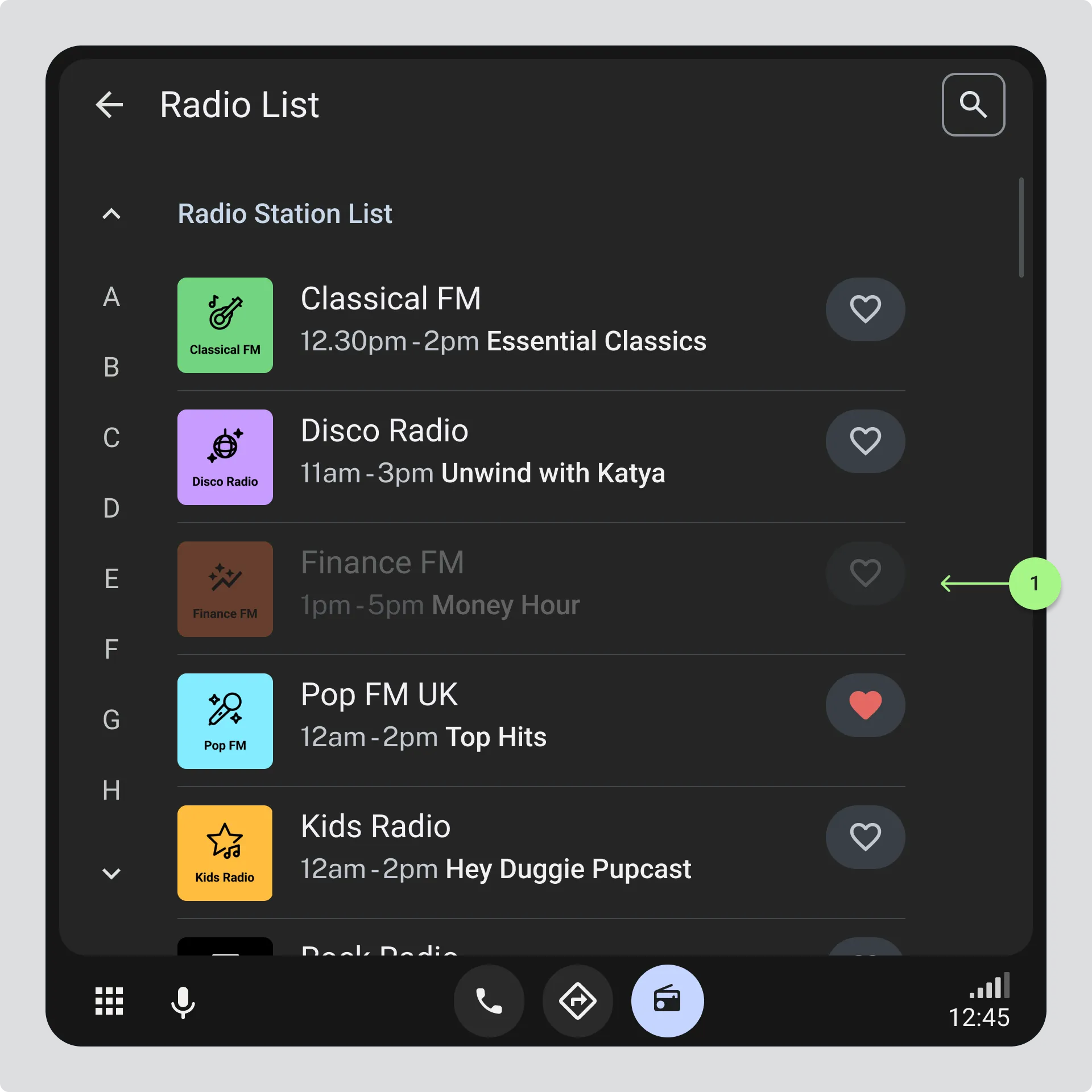
- Station list showing the station is unavailable by reducing the opacity of the list item or displaying an unavailable icon.
Dialog Box
Section titled “Dialog Box”Station unavailable with clear actions
Section titled “Station unavailable with clear actions”When a driver actively tries to tune to an unavailable station, or when a signal is lost while listening, use a dialog box to explain what’s happened. This interrupts their action with helpful context and gives them clear options to continue listening. Use the same dialog pattern whether they’re selecting from a list, recalling a preset, or losing a signal while listening.
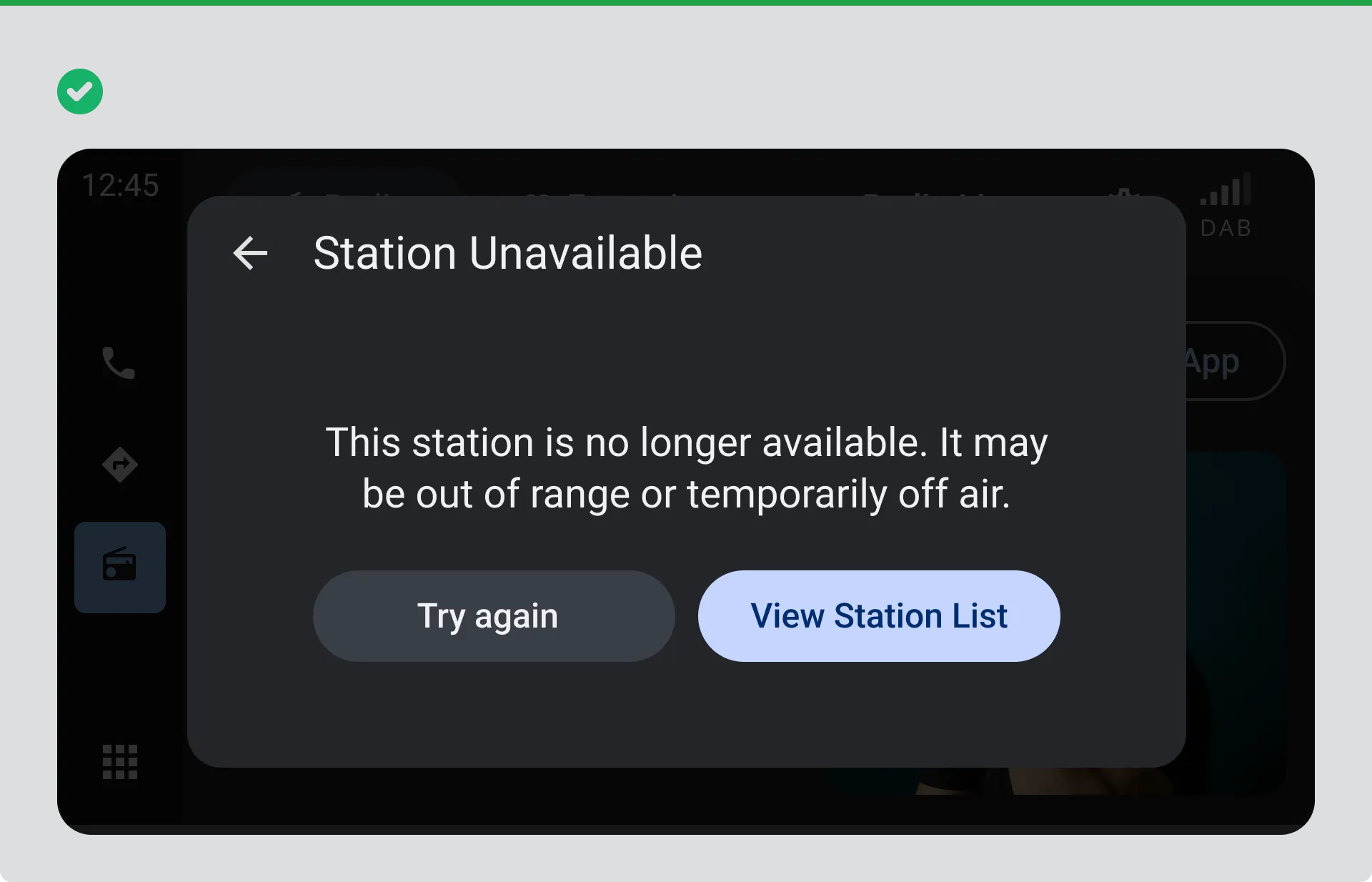
Dialog box clearly explaining that the selected station is temporarily unavailable and providing clear next steps so the driver can continue listening without confusion.
Avoid: Disabled station without explanation
Section titled “Avoid: Disabled station without explanation”Don’t use technical terms like “signal degradation” or “service cannot be accessed” that confuse drivers. Avoid buttons like “Cancel” and “Confirm” that don’t clearly tell the driver what will happen next.
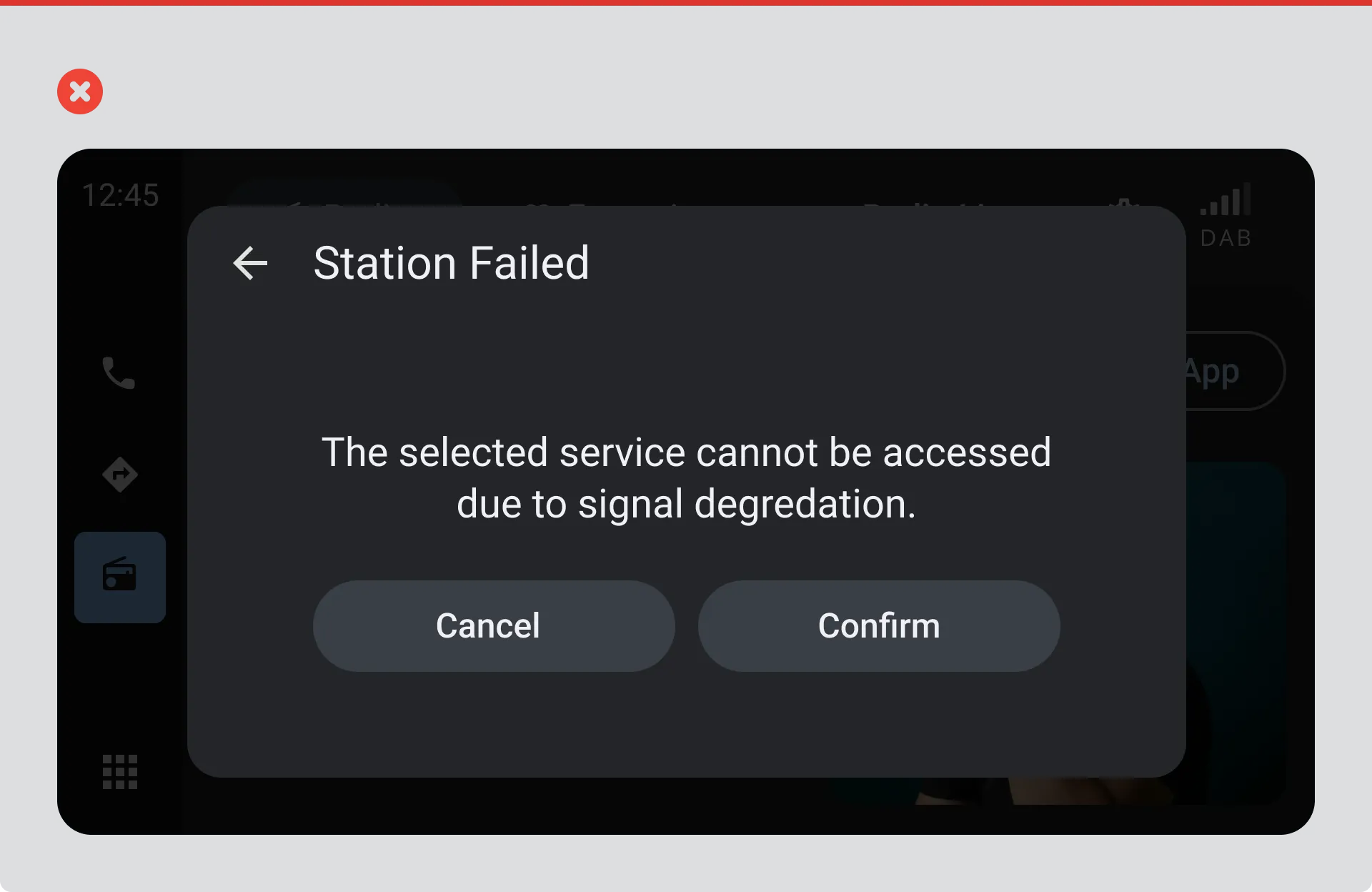
Station list showing a disabled station with no visual or text cue explaining why it’s unavailable.