

Regulatory Prominence Requirements
Balancing regulatory requirements with driver experience
Section titled “Balancing regulatory requirements with driver experience”Some countries require certain radio stations to be displayed in a particular order or given specific prominence over other services. As a manufacturer, you can choose how to achieve that prominence while meeting local regulations. The key is making it clear to drivers which stations have regulatory priority without disrupting the overall experience.
How to show prominent stations
Section titled “How to show prominent stations”There are several approaches you can take:
Split the list into sections
Section titled “Split the list into sections”Divide your station list into two clear sections: “Required Prominent Stations” (or similar local terminology) at the top, followed by “All Radio Stations” below. This creates a clear hierarchy while keeping all stations accessible.
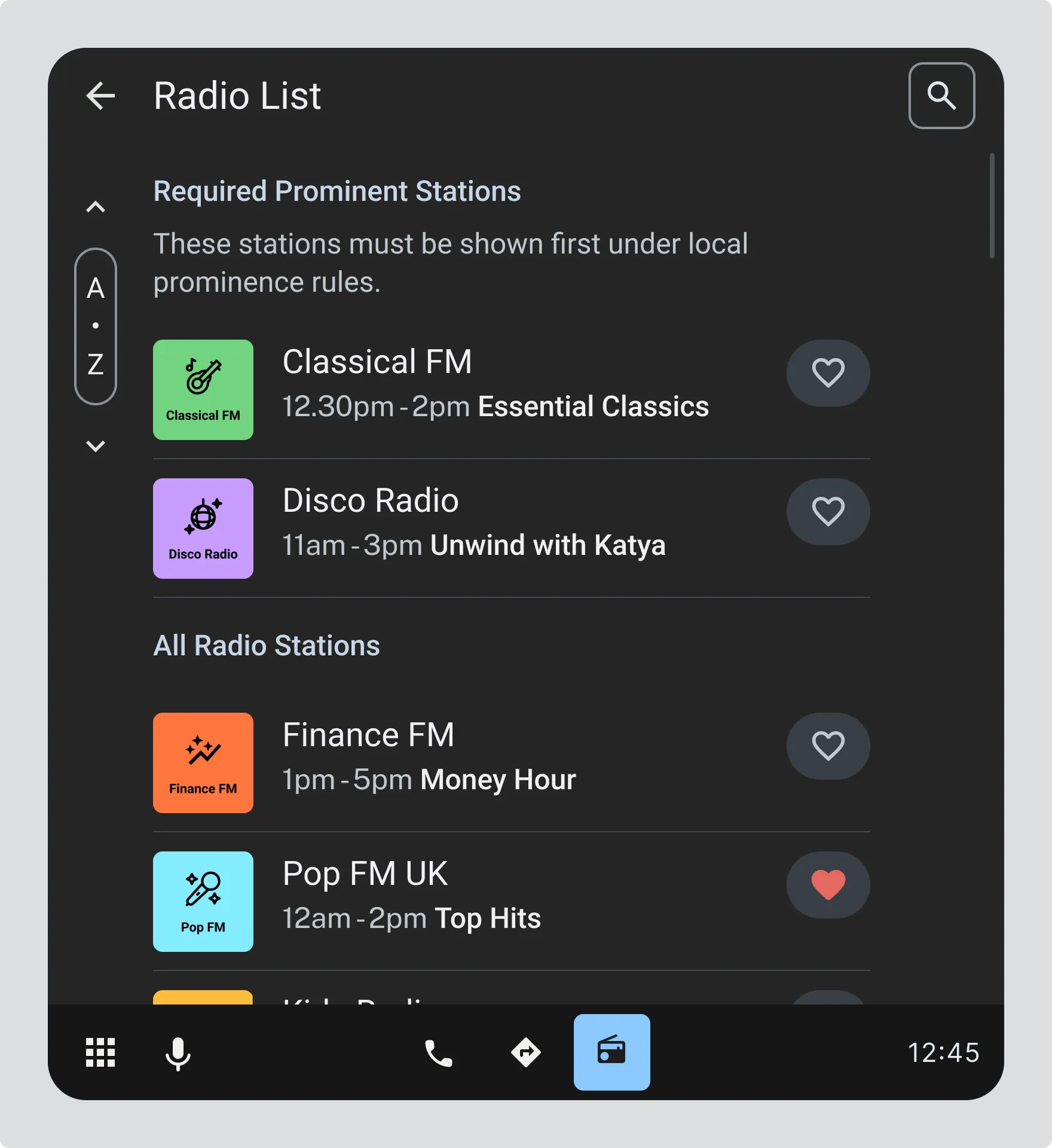
Image showing: Radio List with “Required Prominent Stations” section at top (Classical FM, Disco Radio), explanatory text “These stations must be shown first under local prominence rules”, followed by “All Radio Stations” section below (Finance FM, Pop FM UK, etc.)
Add a filter for prominent services
Section titled “Add a filter for prominent services”Provide a toggle or filter button that switches between “Prominent Services” and “All Radio stations”. This lets drivers choose their view while ensuring prominent stations are easily accessible. Use locally suggested wording and iconography for the button.
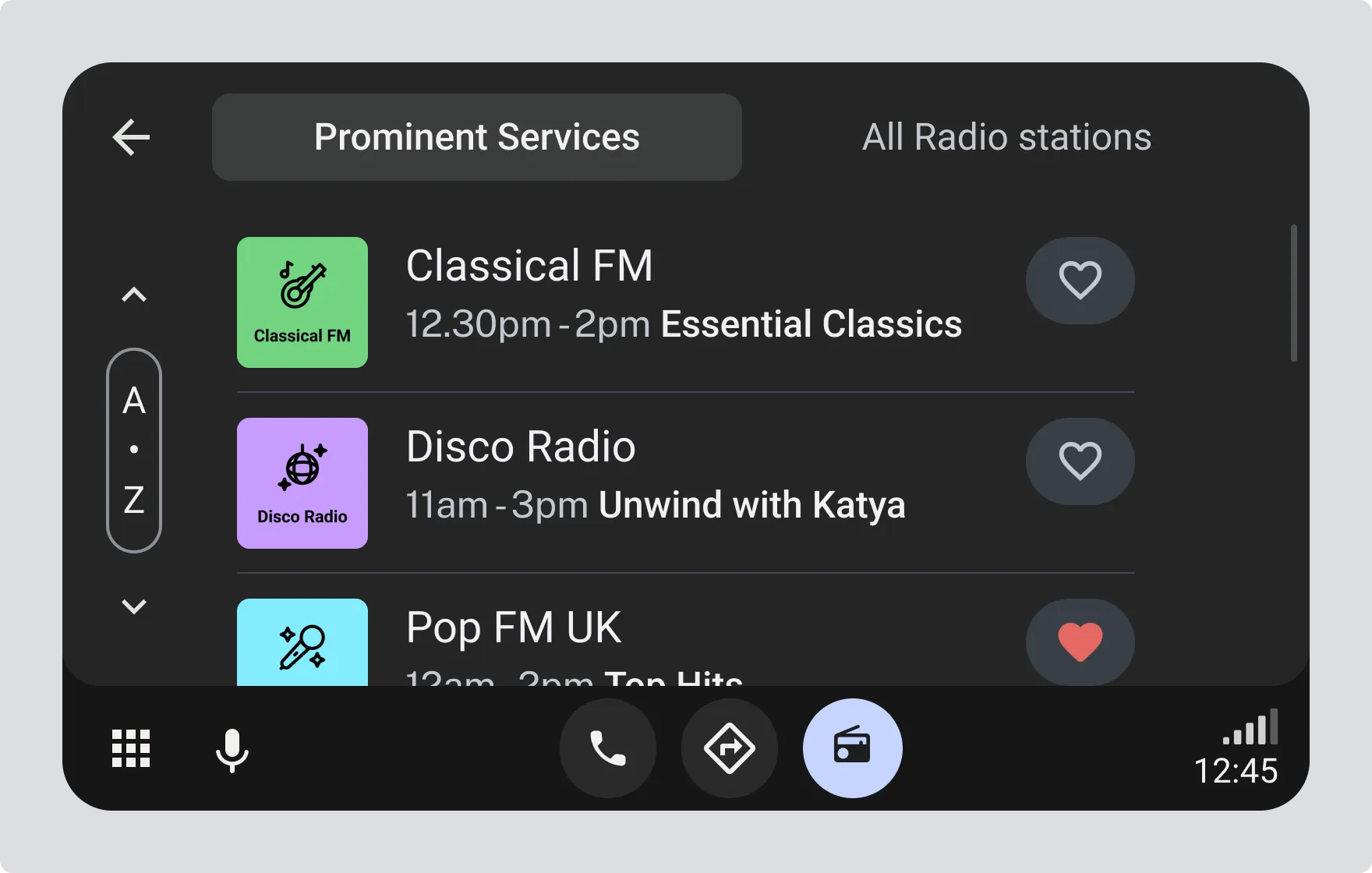
Image showing: Station list view with toggle between “Prominent Services” and “All Radio stations” tabs at the top, displaying Classical FM, Disco Radio, and Pop FM UK.
Visually highlight prominent services
Section titled “Visually highlight prominent services”Use visual treatment like badges to distinguish prominent stations within a single unified list.
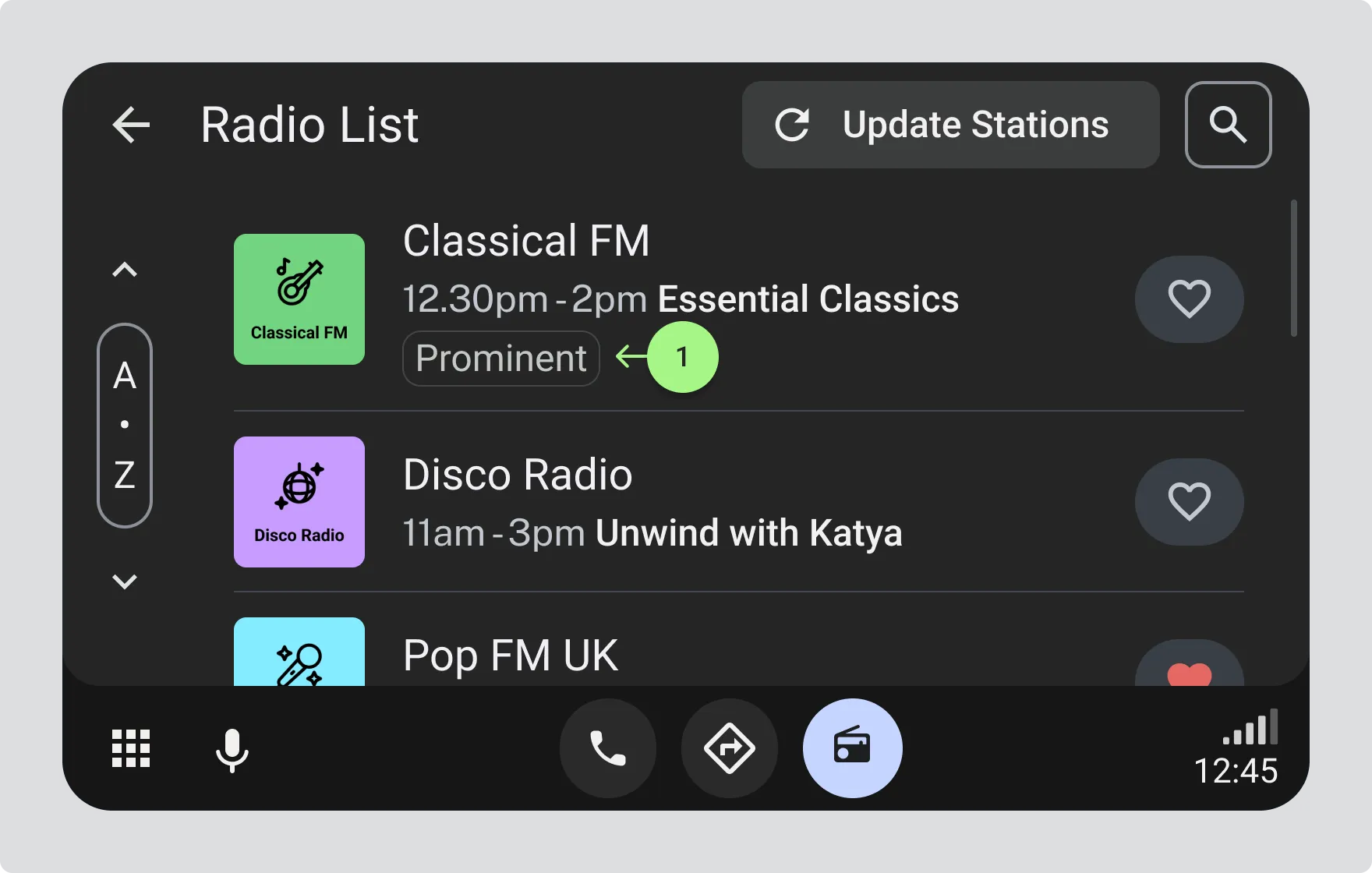
- Radio List with Classical FM displaying a “Prominent” badge