

Station List Item Construction
Station lists need to give drivers enough information to recognise and choose a station quickly, without overwhelming them. The content shown for each station should balance clarity, space, and attention, especially when lists are long.
Some information is essential and should always be shown. Other details can be included where space and system capability allow.
Essential Station List Information
Section titled “Essential Station List Information”Every station shown in a station list should include enough information for the driver to recognise it at a glance.
Each list item should show:
Section titled “Each list item should show:”- The station name, where available.
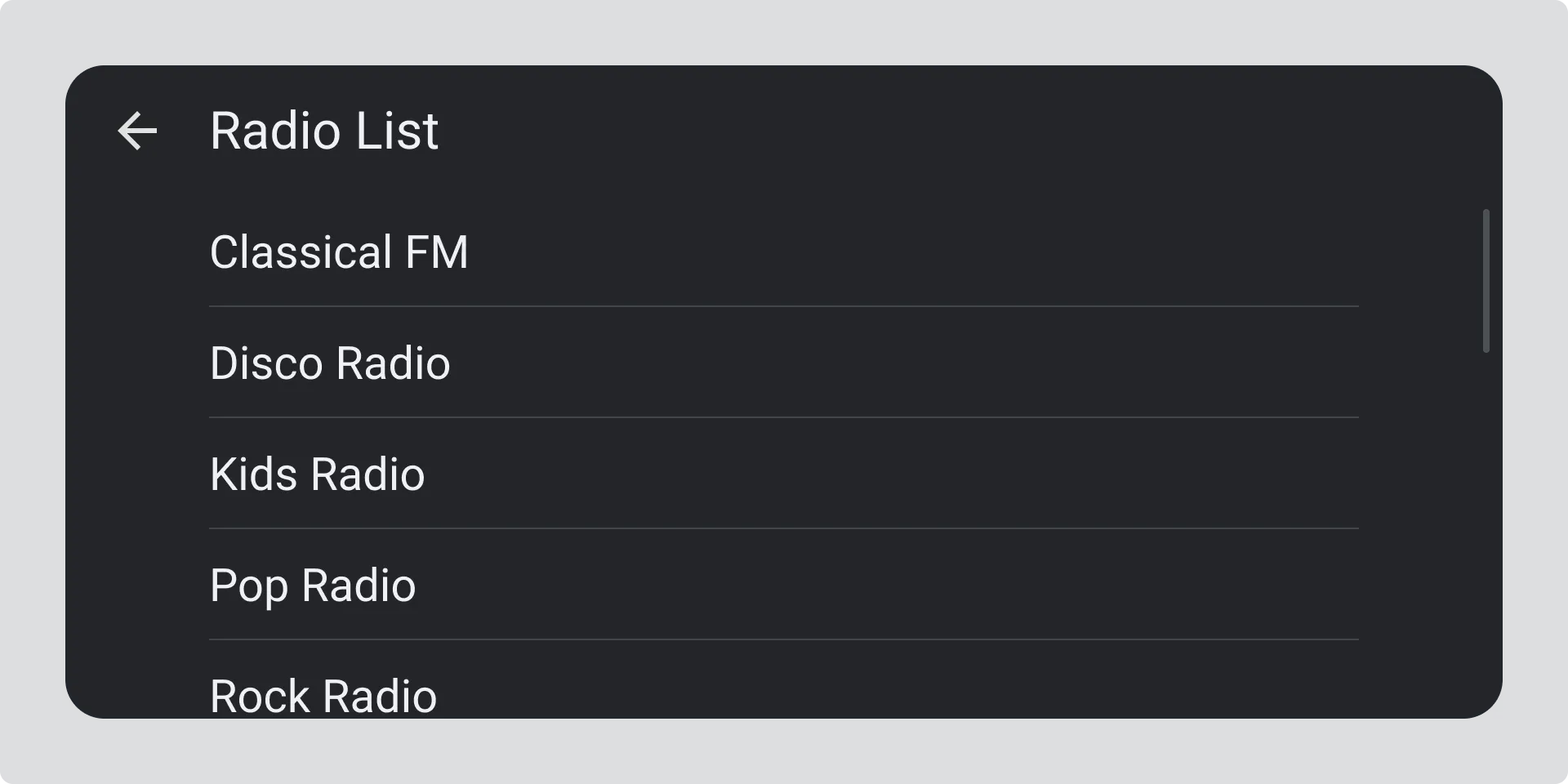
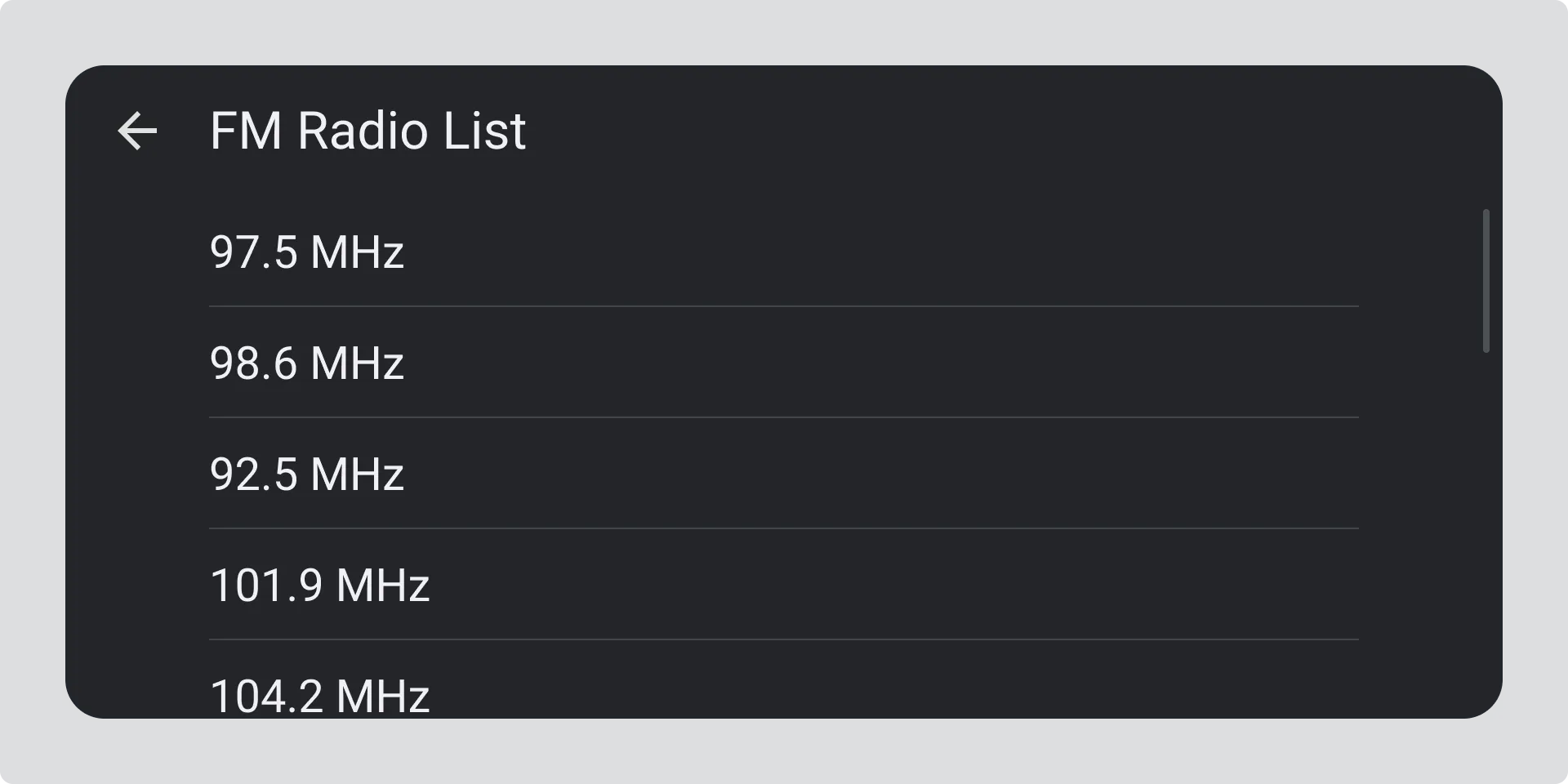
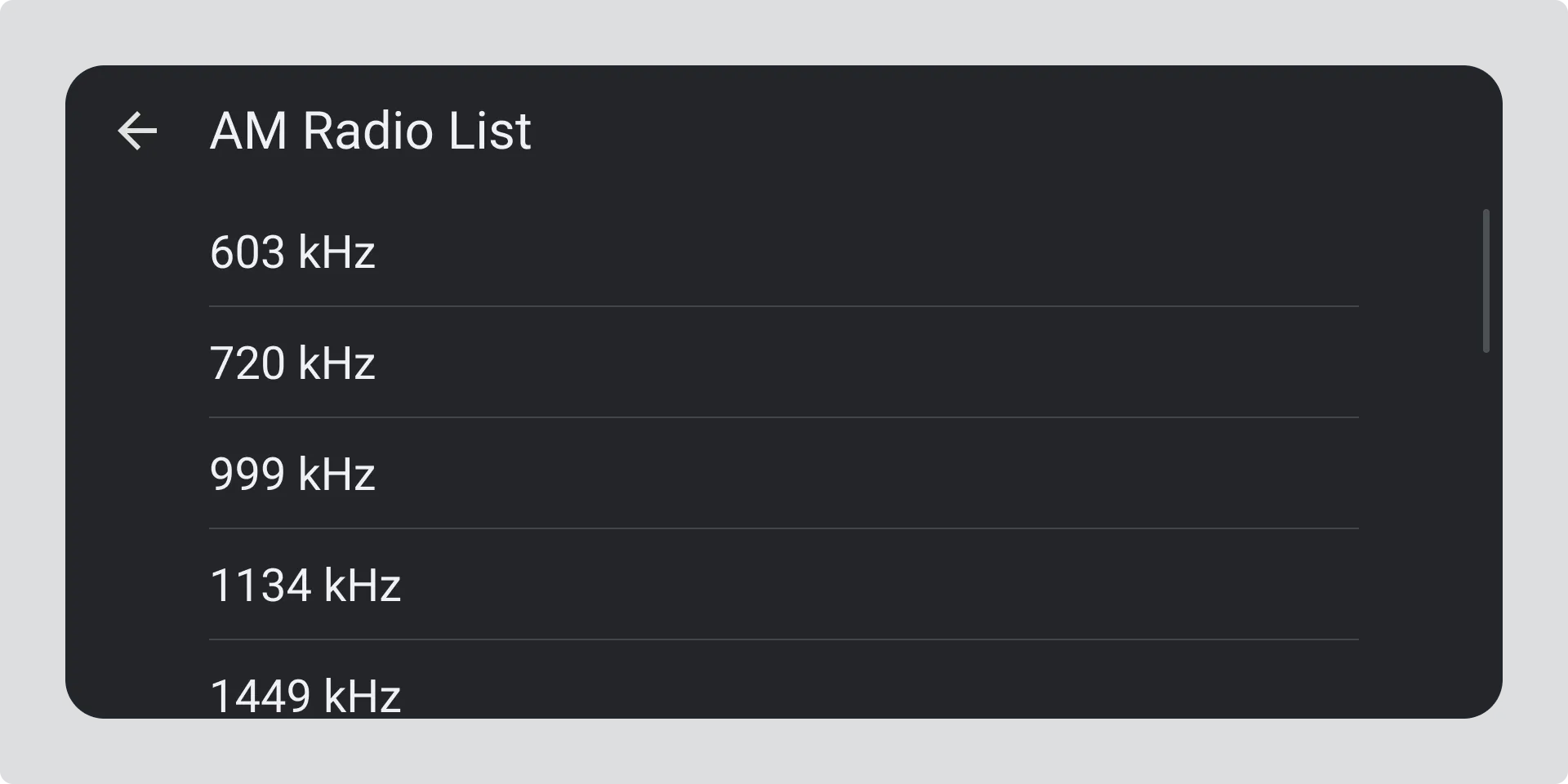
If the station name is not available, show the station frequency instead:
- For FM, use the format XXX.X MHz (for example, 97.5 MHz or 106.2 MHz).
- For AM, use the format XXXX kHz (for example, 558 kHz or 1602 kHz).
Advanced Station List Information
Section titled “Advanced Station List Information”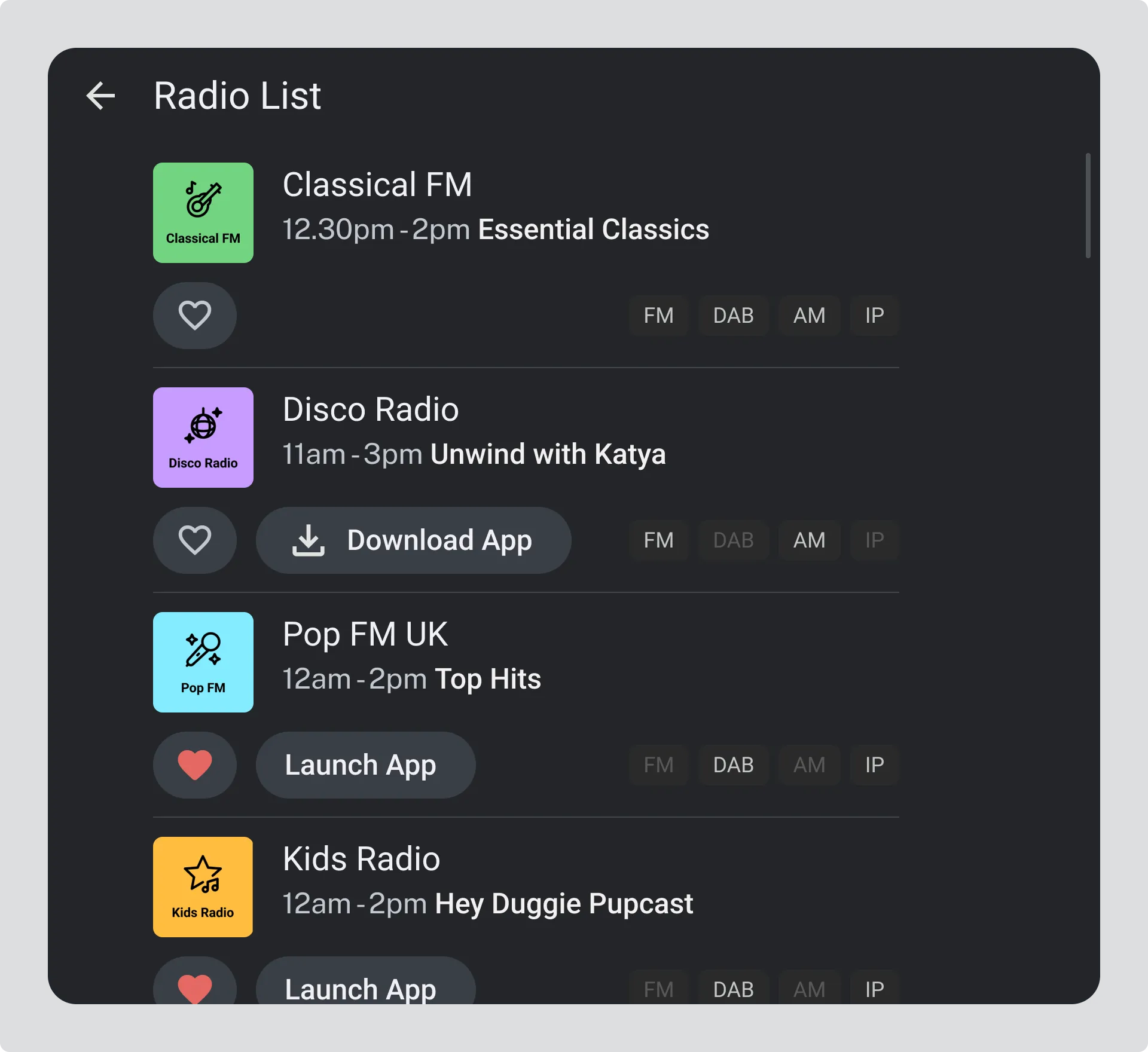
Where space and capability allow, extra information can be shown to help users recognise and choose stations more easily.
A station list item may also include:
- The station logo.
- An indication of how the station is delivered, such as FM, DAB, AM, IP, or a combination.
- The name and start or end time of the current programme, where available.
- A link to download the station’s app, if it is not already installed.
- A link to open the station’s app, if it is already installed.
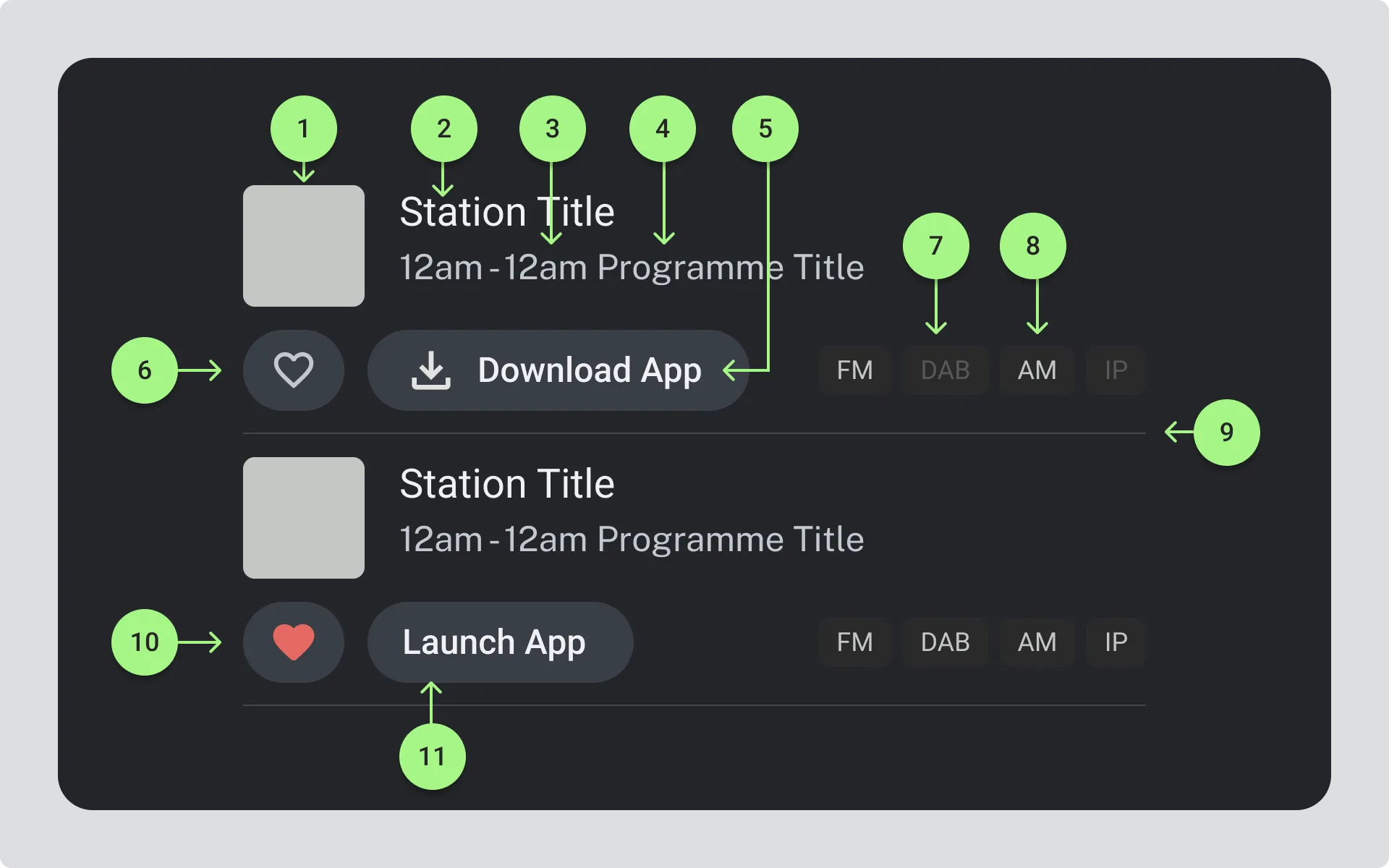
- Station Logo
- Station Title
- Start and end of current programme
- Name of Current Programme
- Download App button
- Favourite Station icon unselected
- Badge showing the radio is unavailable on DAB
- Badge showing the radio is available on AM
- Line to separate list items
- Favourite Station icon selected
- Launch App button
North America Analog Station List Structure
Section titled “North America Analog Station List Structure”On analog radio, each list item should start with the radio station frequency, followed by the radio station name (if available).