

Station Information View
The Station Information view gives drivers the key details about the station they’re currently listening to. It should always be the main view when audio is playing because it helps drivers quickly recognise:
- What station they’re on
- What programme or track is currently playing
Show this view automatically whenever the user tunes into a station or returns to the radio feature while a station is active.
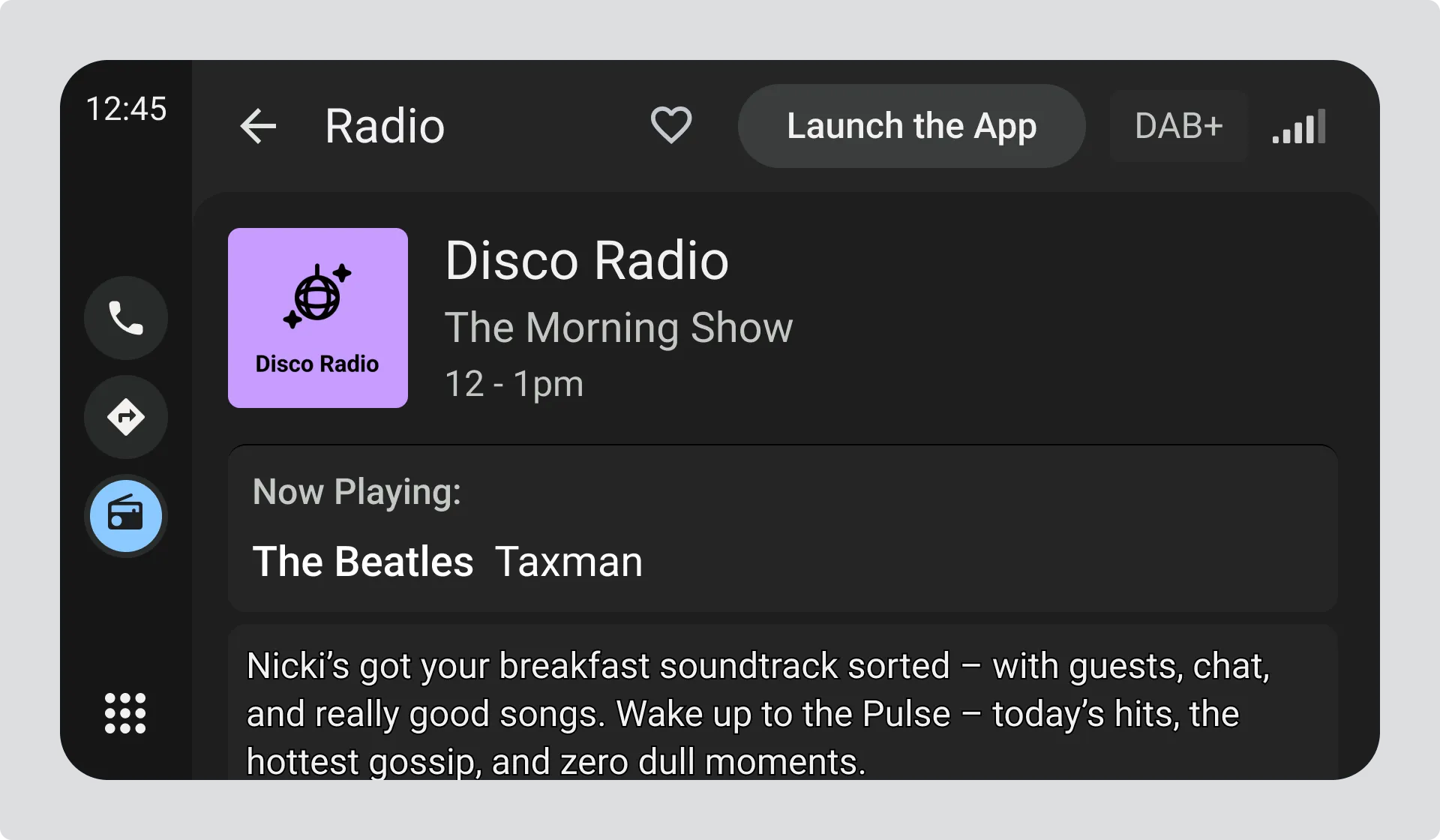
Example showing the radio station screen with station name, logo, programme title and text information.
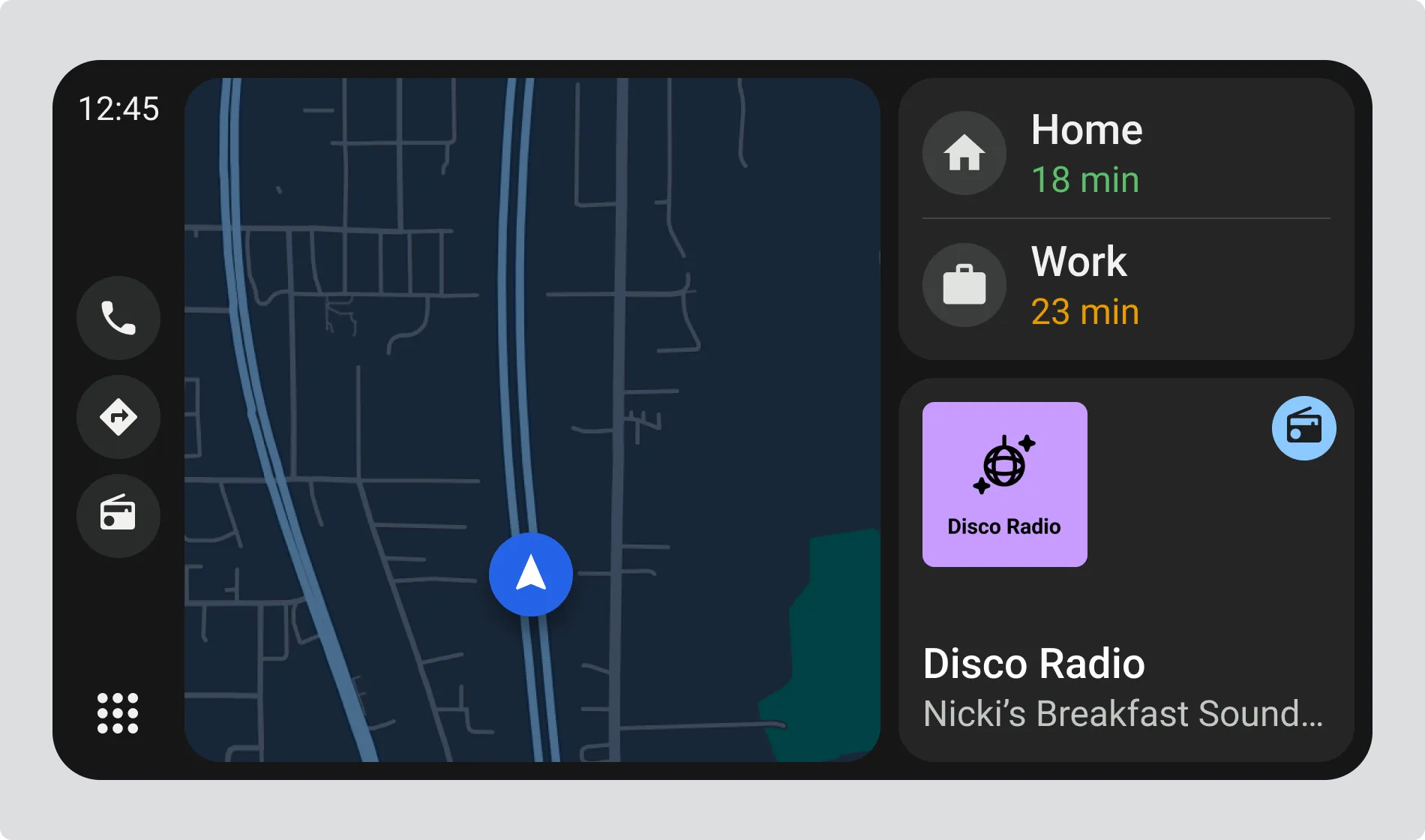
Example showing mini radio section on the home screen with station name, programme title and logo.
Radio Station Information
Section titled “Radio Station Information”Drivers rely on simple, recognisable cues. The two most useful elements are:
- The station name, which confirms what they are listening to
- The station logo, which is often more instantly recognisable than the station name
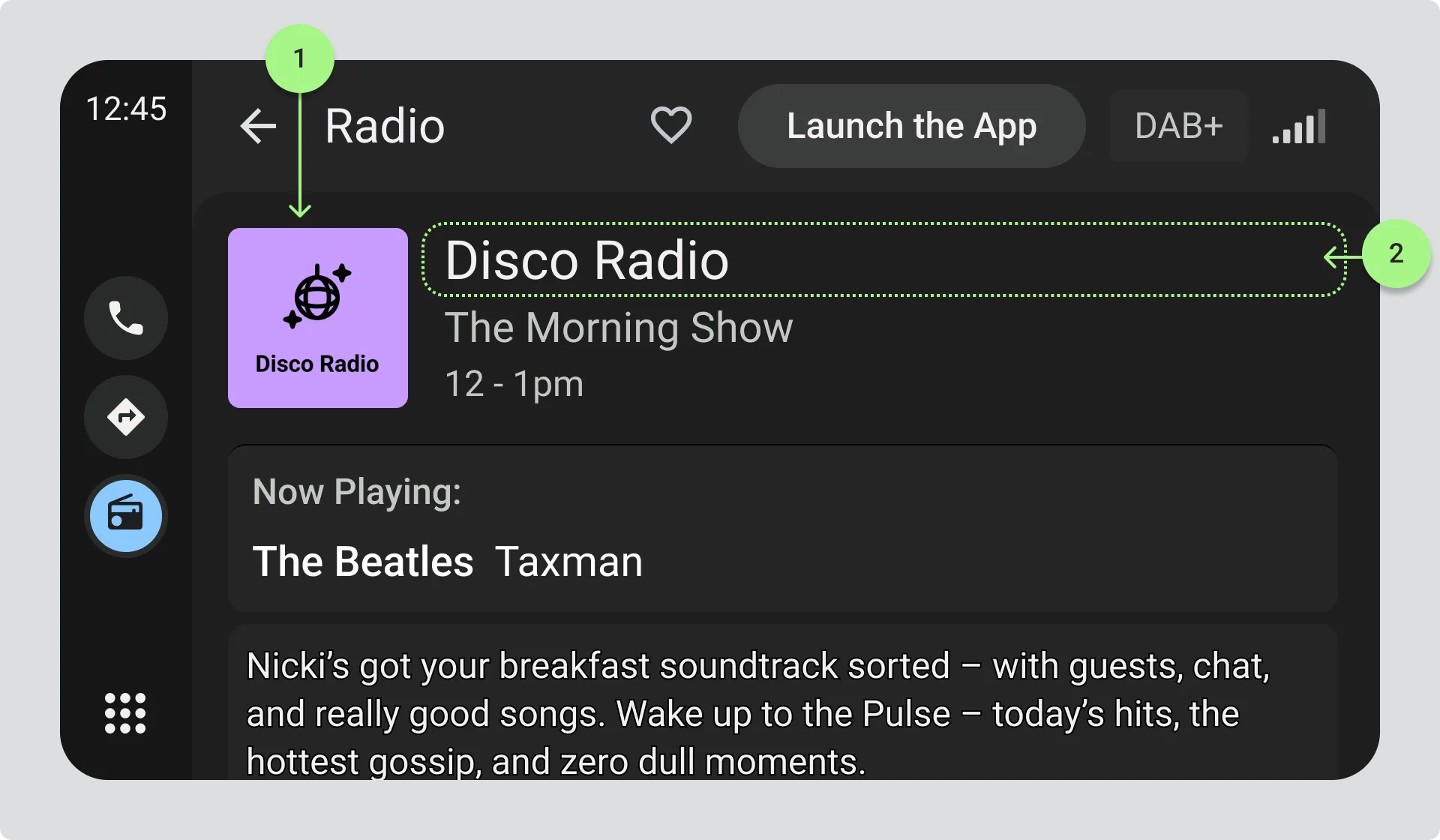
- Radio Station Logo
- Radio Station Name area that can accomodate up to 128 characters
Radio Station Name
Section titled “Radio Station Name”The station name must be displayed clearly and prominently.
Use longest version of the Station Name that is available, and can be comfortably accommodated in the view.
In the case of analogue radio, where the radio station name may not be available, the frequency should be shown in the format:
- XXX.X MHz for FM (e.g 97.5 MHz, 106.2 MHz)
- XXXX kHz for AM (e.g. 558 kHz, 1602 kHz)
See the Appendix on the metadata sources that can be used to populate the radio station name, and the expected length of the field.
Radio Station Name - North America
Section titled “Radio Station Name - North America”In North America, frequency is especially important, so it should always appear first, followed by the name if available.