

Text Information
Tell the user what they’re listening to right now.
The radio station may send text information which updates in real-time, providing information that’s useful to the listener.
You should:
- Display this information to the listener without the need for any user action - either to display it, or update it
- Display as much as the text as possible. If the text overflows, you should scroll or reveal it automatically, without user intervention
- Use a font size and style that’s easy for the user to read quickly, in a glance
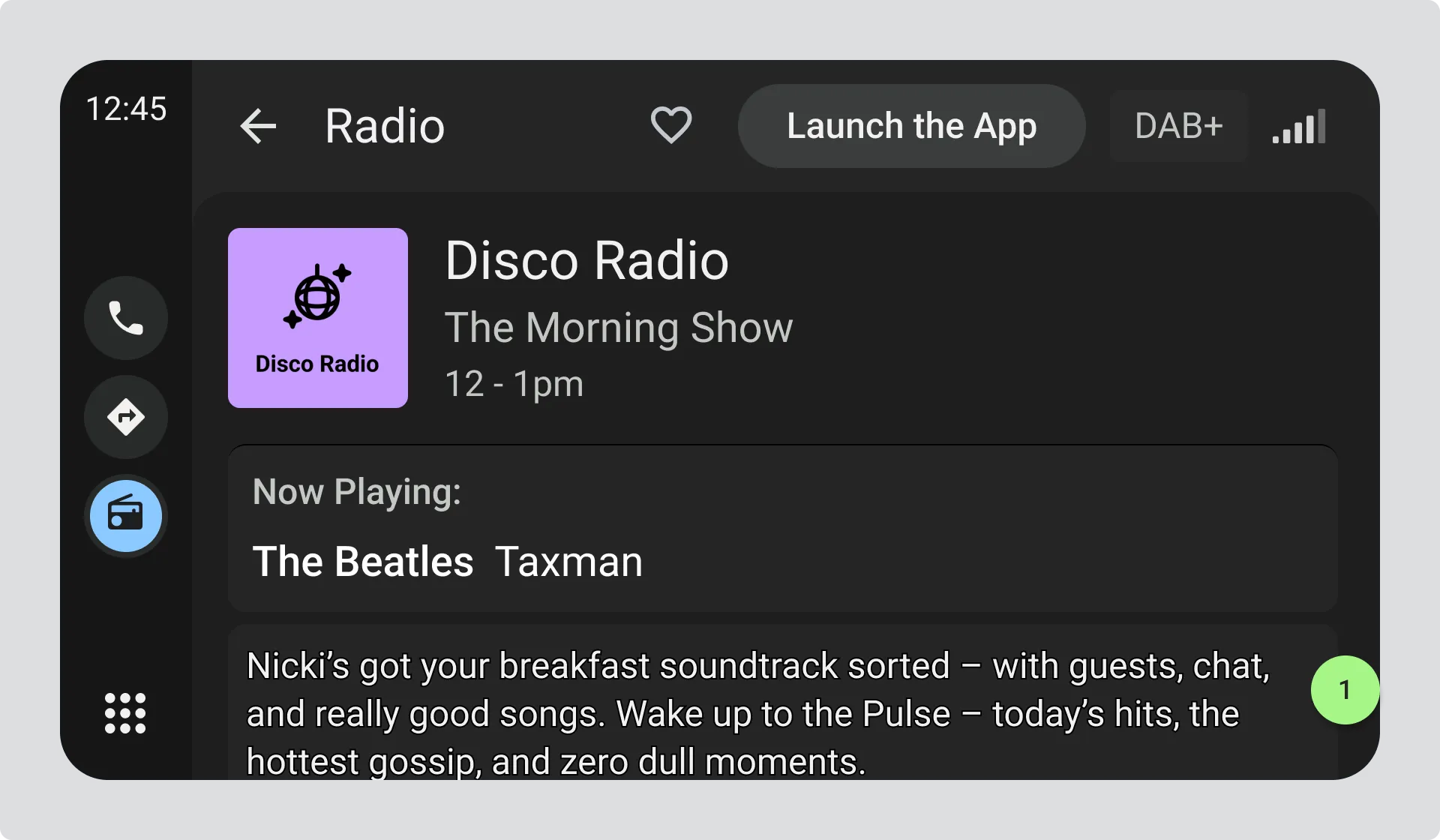
- Radio station screen with text information displayed. The text is partially cut off at the bottom, giving drivers a visual cue that they can scroll up to reveal more content.
No Text Information available
Section titled “No Text Information available”If there’s no text information available, you may remove the display area allocated for text.
Text information may become available whilst listening to the station, in which case if you have removed the display area, you need to reinstate it as soon as text information is received.
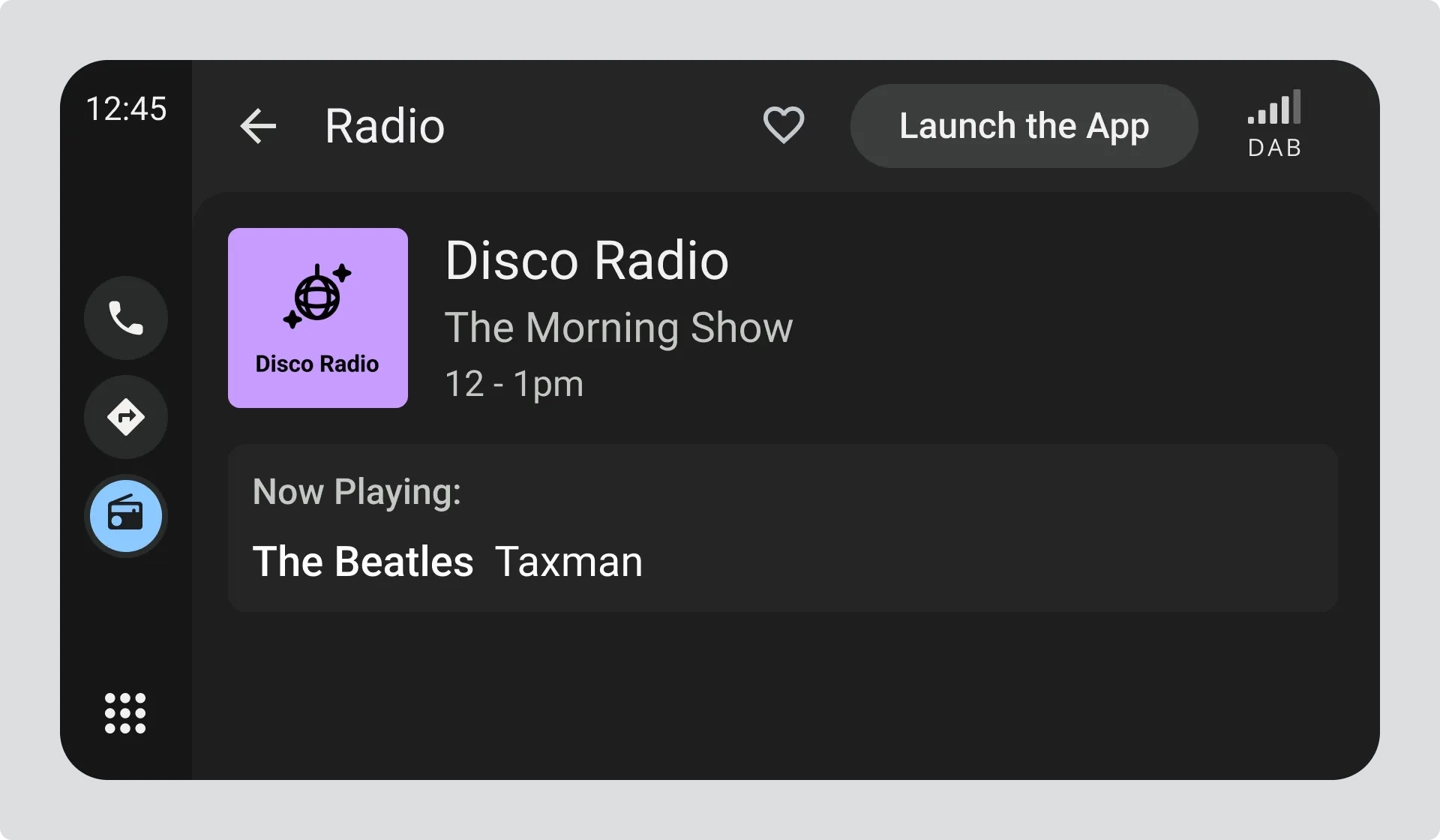
- The display area for text information has been removed.
RT+ and DL+ - Simple Markup for Text Information
Section titled “RT+ and DL+ - Simple Markup for Text Information”Show text information in a more structured manner.
Some radio stations may mark-up their text information into specific elements. This mark-up isn’t visible to the user, but can be used to break the text information up into sections.
For example, the text information:
“You are listening to The Morning Show on XYZ Radio playing The Beatles and Taxman”
might be marked-up to provide these items:
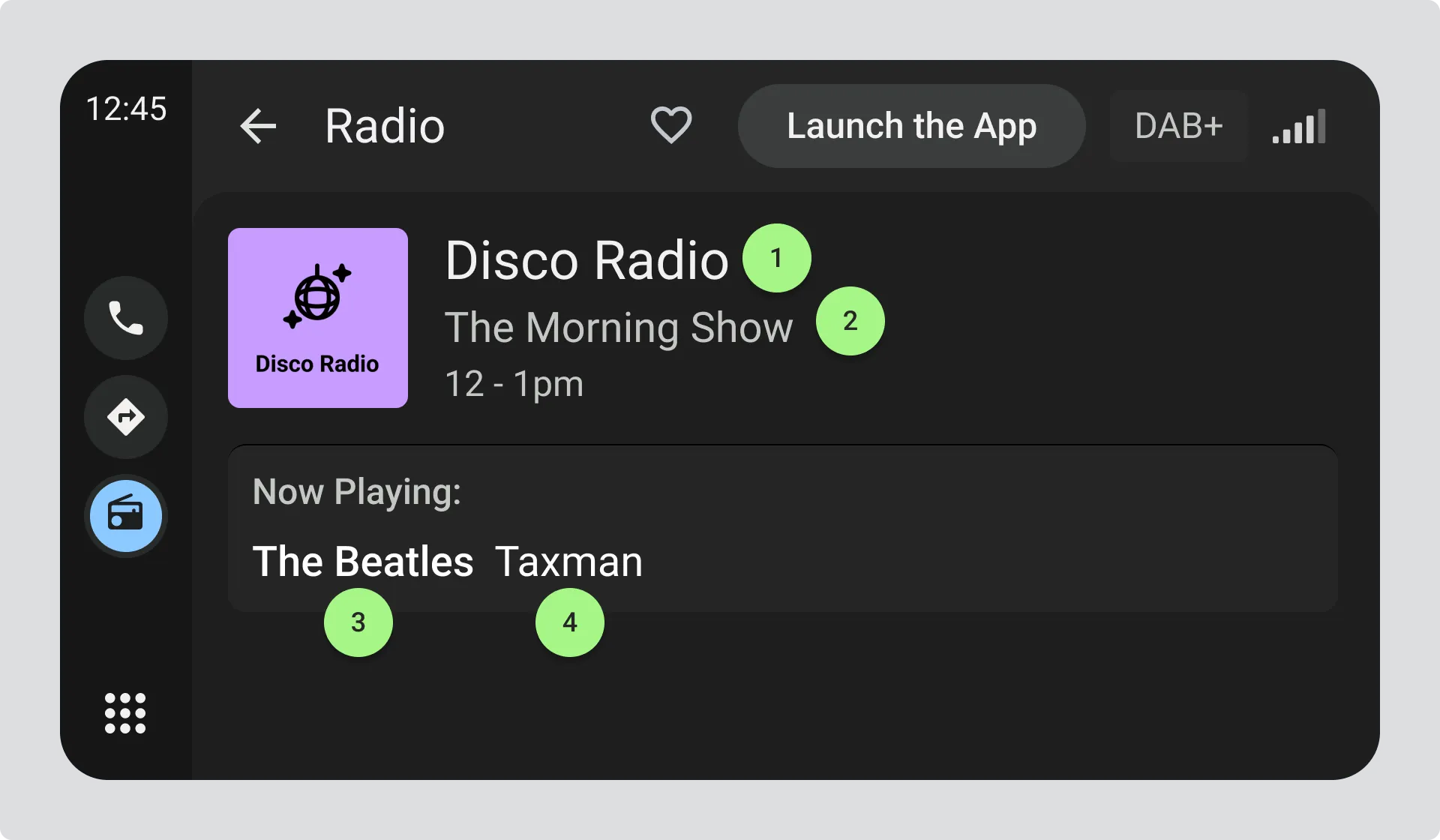
- Radio Station Name = “XYZ Radio”
- Programme Name = “The Morning Show”
- Artist = “The Beatles”
- Title = “Taxman”
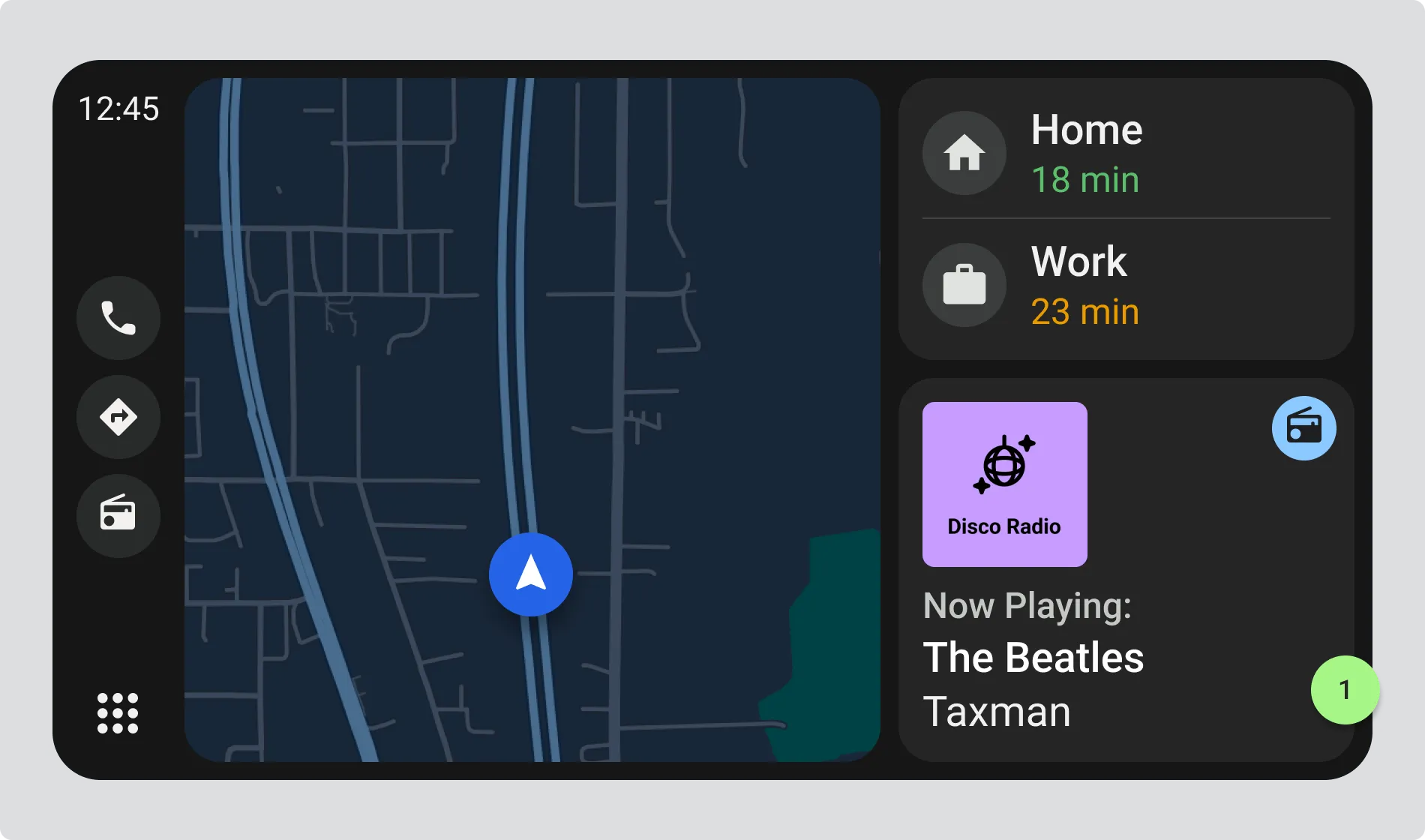
The example shows a mini-view of the display, where only the Programme Name and Title are shown while the driver may be using other apps such as navigation.
Glossary of items avaible
Section titled “Glossary of items avaible”The full list of available items is specified in TS 102 980 Annex A.
You could use this to provide the information in a more structured display format, but consider these points:
- Marked-up text information is not provided by many radio stations.
- Some useful information to the user may not be marked up, so always provide an option for the user to switch between the text information display and using the structured display format
- If text information is not marked-up, you must show the text information as sent.
- Most radio stations broadcast items that do not categorise as music, so you need to consider proper coverage of all the available items specified in TS 102 980 Annex A.
Station & Text Information Sources
Section titled “Station & Text Information Sources”See the Appendix on the metadata sources that can be used to populate the station and text information fields.
Updating text information
Section titled “Updating text information”See REACTING TO EVENTS, Text Information updates to understand how to correctly respond to text information updates sent by the radio station.