

Programme Information
Some radio stations provide detailed information about their programmes, helping drivers understand what they’re listening to right now and what’s coming up next.
Programme information changes less frequently than text or visual information. It typically describes a programme that lasts between 30 minutes and a few hours, and you’ll often have information on both the current programme and the ones that follow.
What to show in the station display
Section titled “What to show in the station display”In the station information view, you can show:
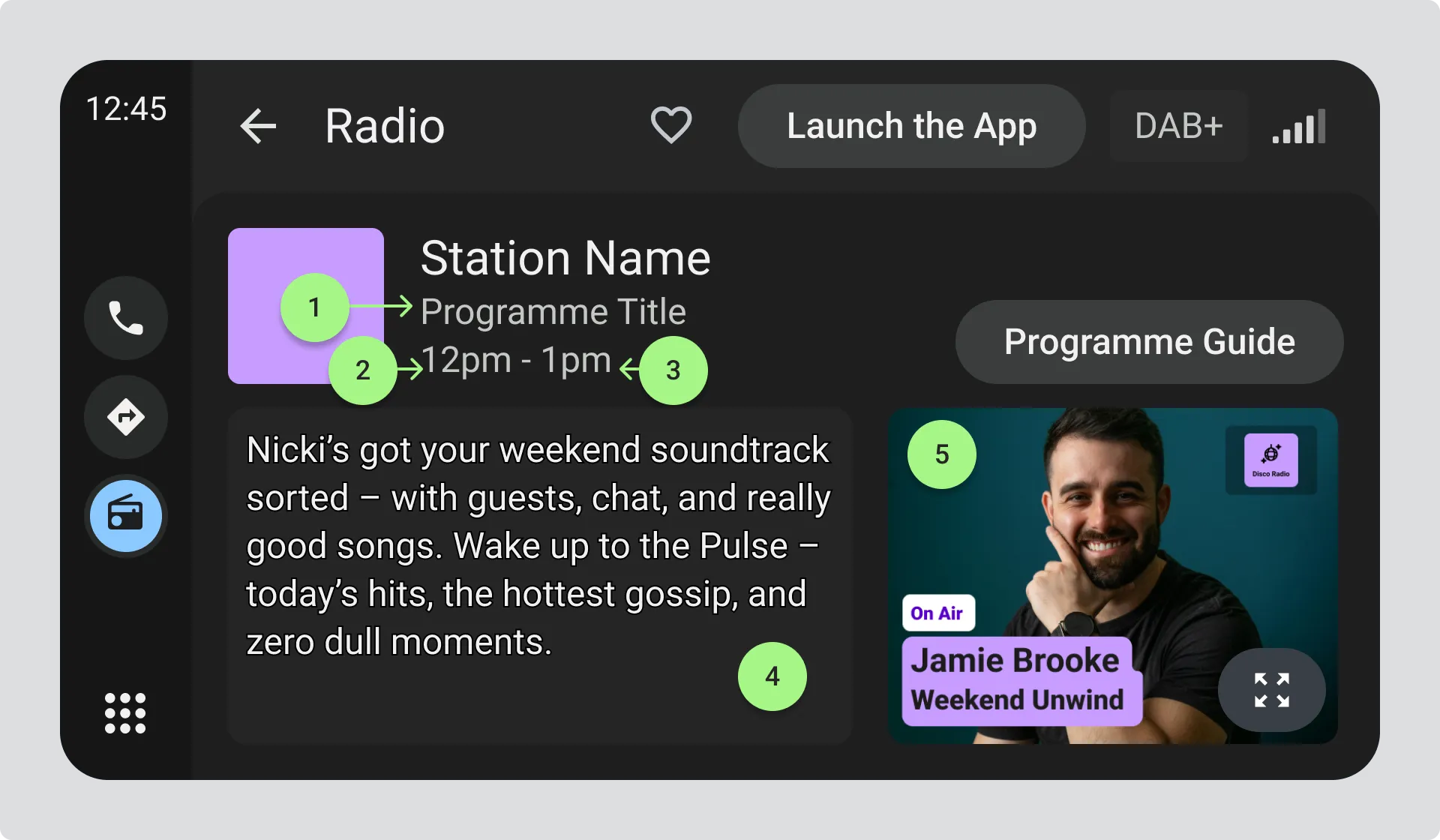
- Programme title
- Programme start time, in the driver’s preferred time format (for example “6am” or “06:00”)
- Programme end time, in the driver’s preferred time format
- Programme description (a text field)
- Programme image (JPG)
Keeping programme information up to date
Section titled “Keeping programme information up to date”Programme information may need to update while a driver is listening. Unlike text or visual information, the radio station doesn’t send a signal when a programme changes. Instead, check the current time against the start and end times of programmes and update the display accordingly.
Programme guide
Section titled “Programme guide”If programme information is available for more than just the current programme, you can offer a programme guide view where drivers can browse upcoming shows. List programmes in ascending start time order for the current station.
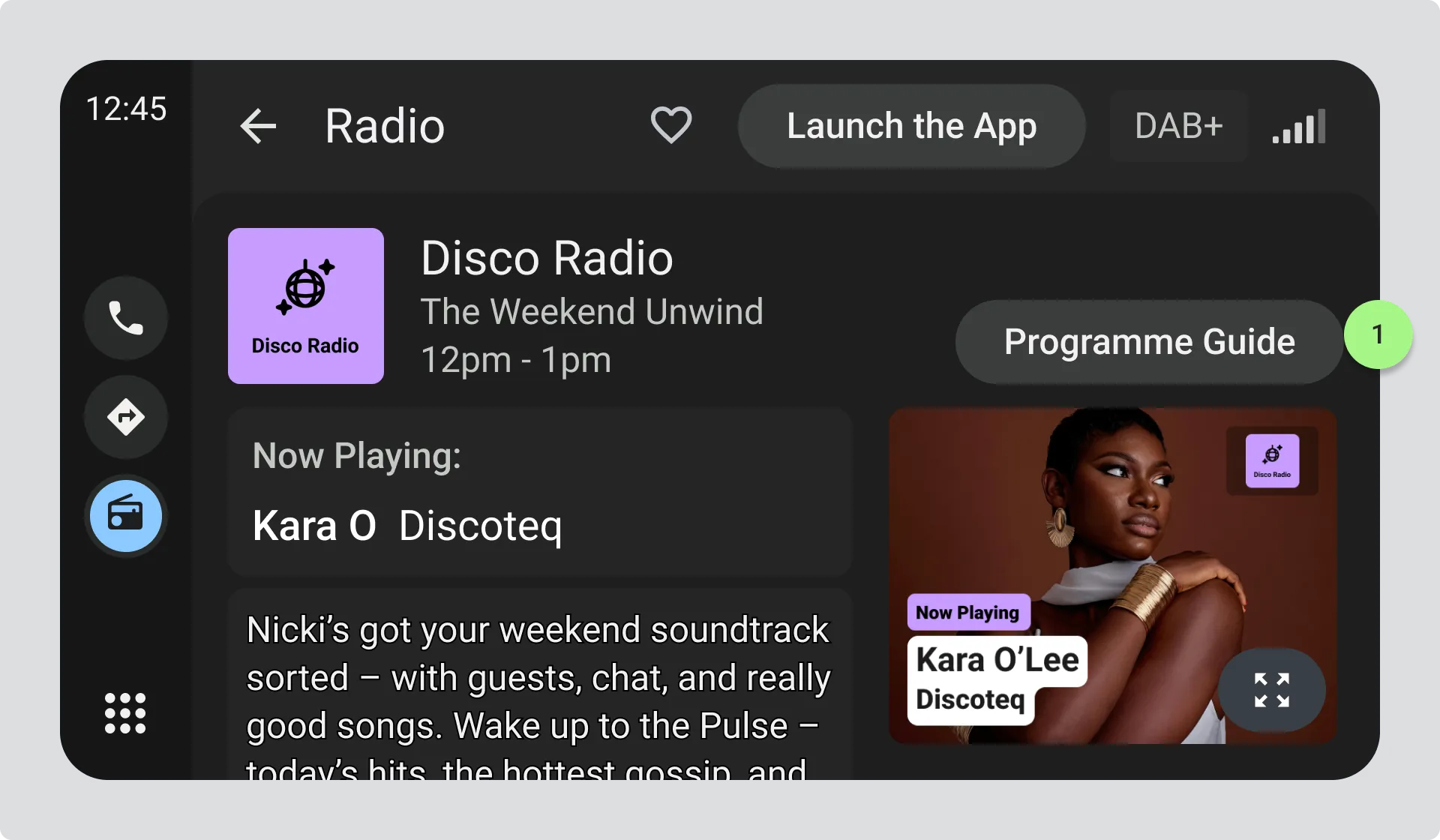
- Show a secondary style button with clear action to open the programme guide, such as “Programme Guide” in a accessible but not obtrusive area of the interface.
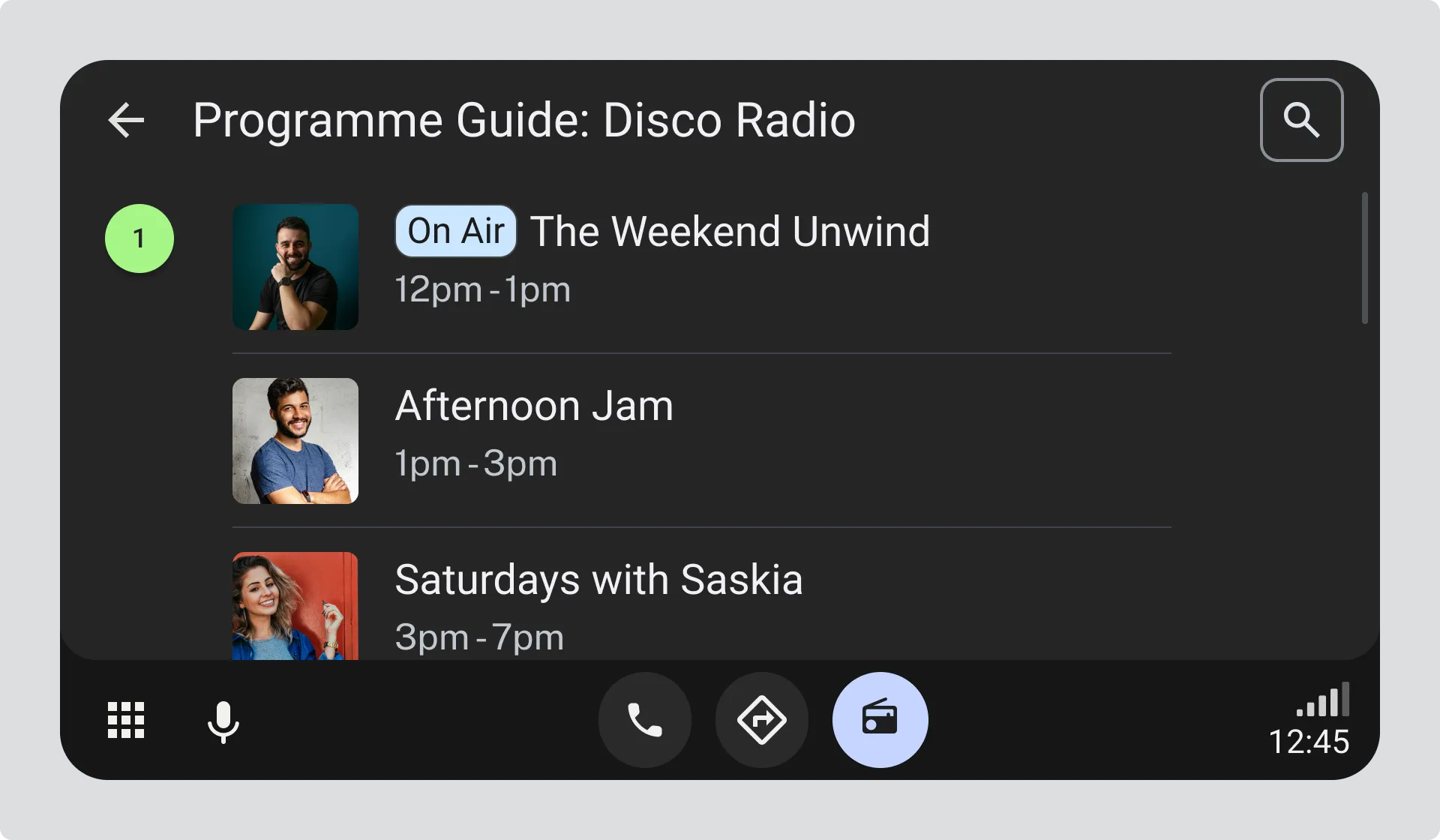
- The programme guide view shows a list of programmes for the current station, with the current programme at the top. Each programme list item includes the start and end time, and the programme title.
Programme information in station lists
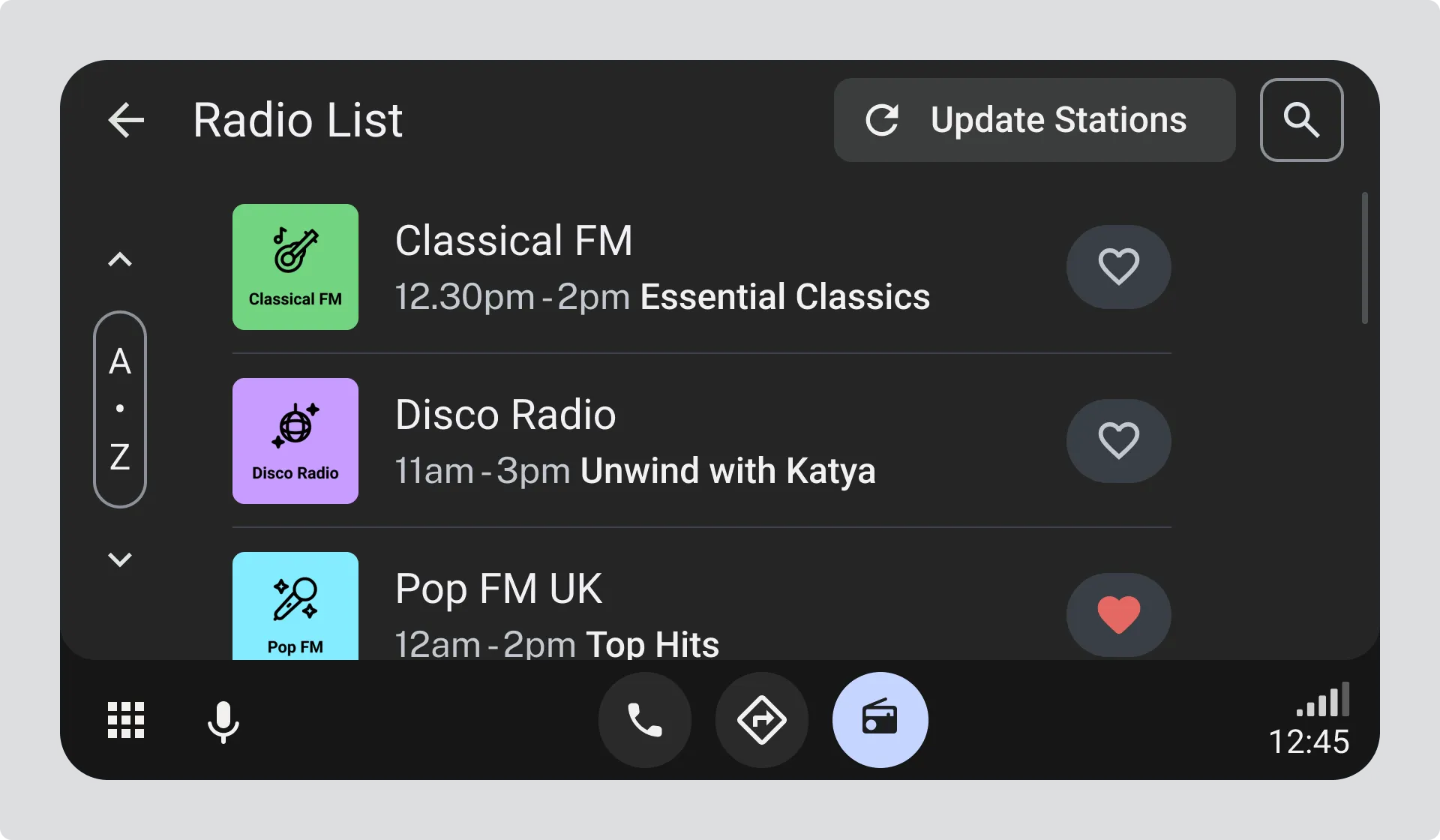
Section titled “Programme information in station lists”When drivers are browsing the station list, you can also include programme information in each station list item, such as:
- The start and end time of the current programme
- The current programme title
Programme information sources
Section titled “Programme information sources”See the Appendix for the metadata sources that can be used to populate the programme information fields. Sonnet 4.5