

Signal Loss
You should explain clearly to the user why the radio station has stopped playing.
Best practice is to show a toast message, and optionally an icon, to indicate that the signal has been lost.
We would recommend reducing the opacity of the radio information such as the station name, programme name, and song title, to make it clear that the station is no longer playing.
Toast Message
Section titled “Toast Message”A toast message saying that the Signal has been lost
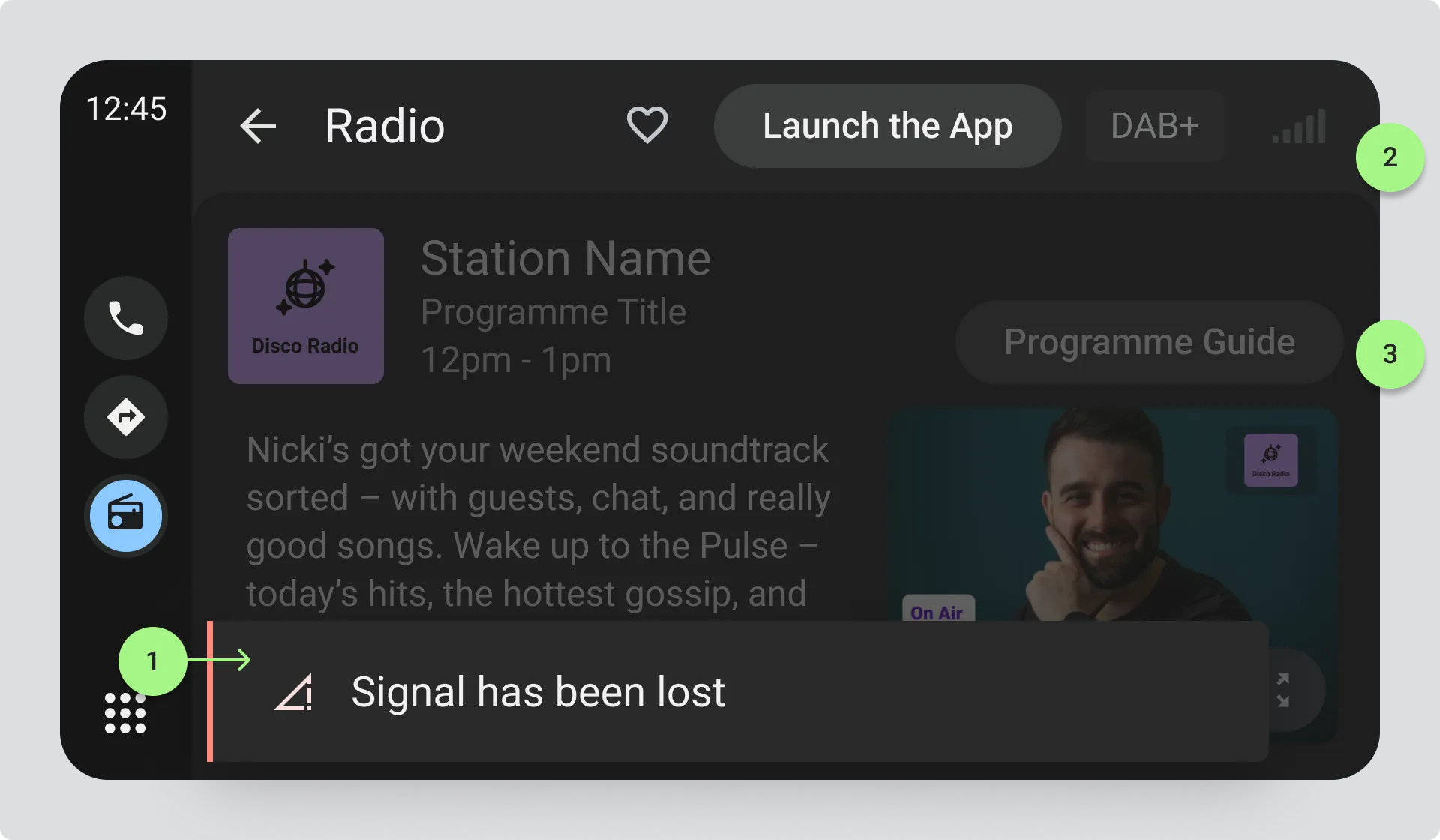
- Toast Message with concise text explaining the issue.
- Reduce the opacity of the signal strength bars to indicate loss of signal.
- Station information, imagery and text information reduced in opacity to indicate loss of signal.
2 and 3 are optional, but can help to visually indicate that the station is no longer playing.
Signal Loss Icon
Section titled “Signal Loss Icon”You can indicate loss of signal with a wireless signal quality icon, which is crossed out when the signal is lost
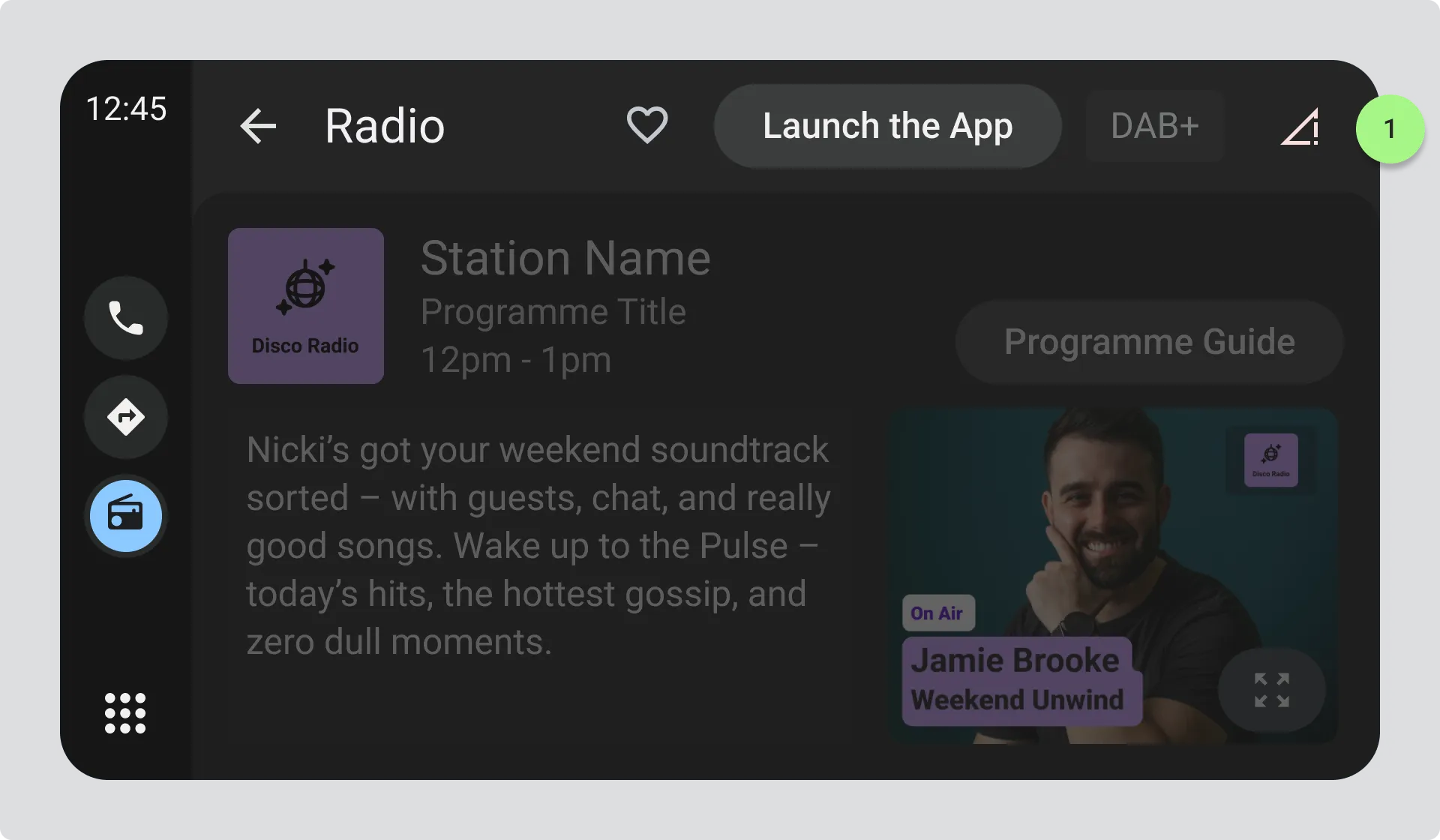
- Icon indicating loss of signal, such as a crossed-out wireless signal quality icon.
See also the following section on Automatic Retuning