Station List Updating
Radio station lists change over time as reception conditions change. Stations may appear, disappear, or move depending on what is currently available.
In many cases this will happen automatically, but how updates are handled matters. Updating the list should not disrupt what the user is doing.
Keeping the station list up to date
Section titled “Keeping the station list up to date”When refreshing the station list:
Section titled “When refreshing the station list:”- Avoid losing the user’s place in the list, especially if the currently selected item is removed.
- Keep the experience stable so the list does not suddenly jump or reset without explanation.
In some cases, it may be helpful to let the user trigger a refresh themselves.
If a manual refresh is provided:
Section titled “If a manual refresh is provided:”- Use a familiar refresh icon so the action is easy to recognise.
- Clearly warn the user if refreshing the list will interrupt or stop the currently playing station.
The goal is to keep the station list accurate without surprising or frustrating the user.
Station list update patterns
Section titled “Station list update patterns”The following examples show different ways station list updates can be communicated to users.
Clear update feedback
Section titled “Clear update feedback”The image below several options of how an update can be communicated clearly while keeping the experience stable in a variety of ways on list items.
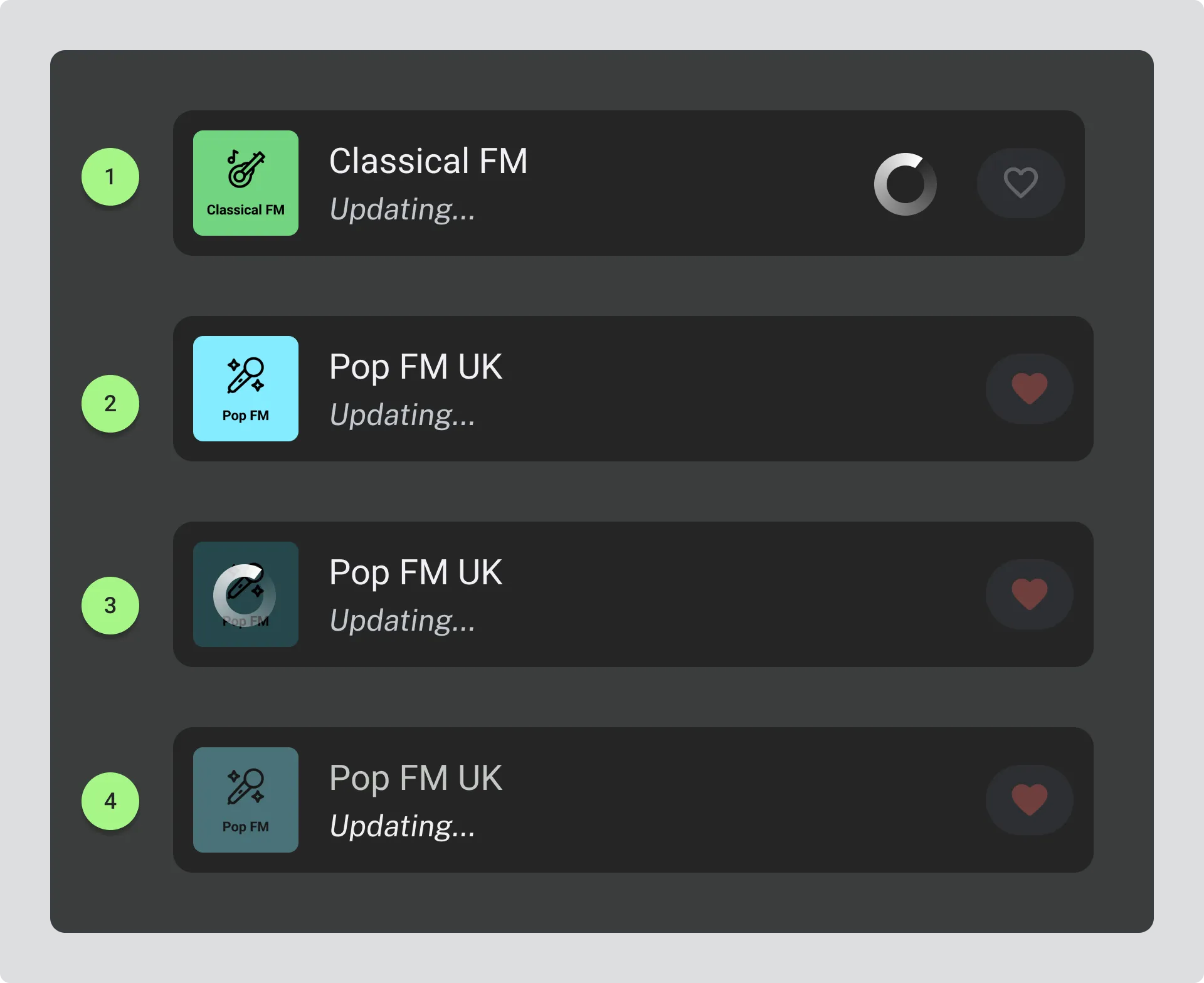
- List item shows a spinning indiator to indicate the item is being refreshed.
- Programme information changes to “updating…” text to indicate that the information is being refreshed.
- Animated icon overlays the station logo and indicates that the item is being updated.
- Station logo is disabled and station title has reduced opacity to show the item is being refreshed.
N.B. All items swap to the “updating…” text for programme information while the update is in progress.
Example Of a Station List Update Flow
Section titled “Example Of a Station List Update Flow”Clear visual cues during a station update
1. Update available
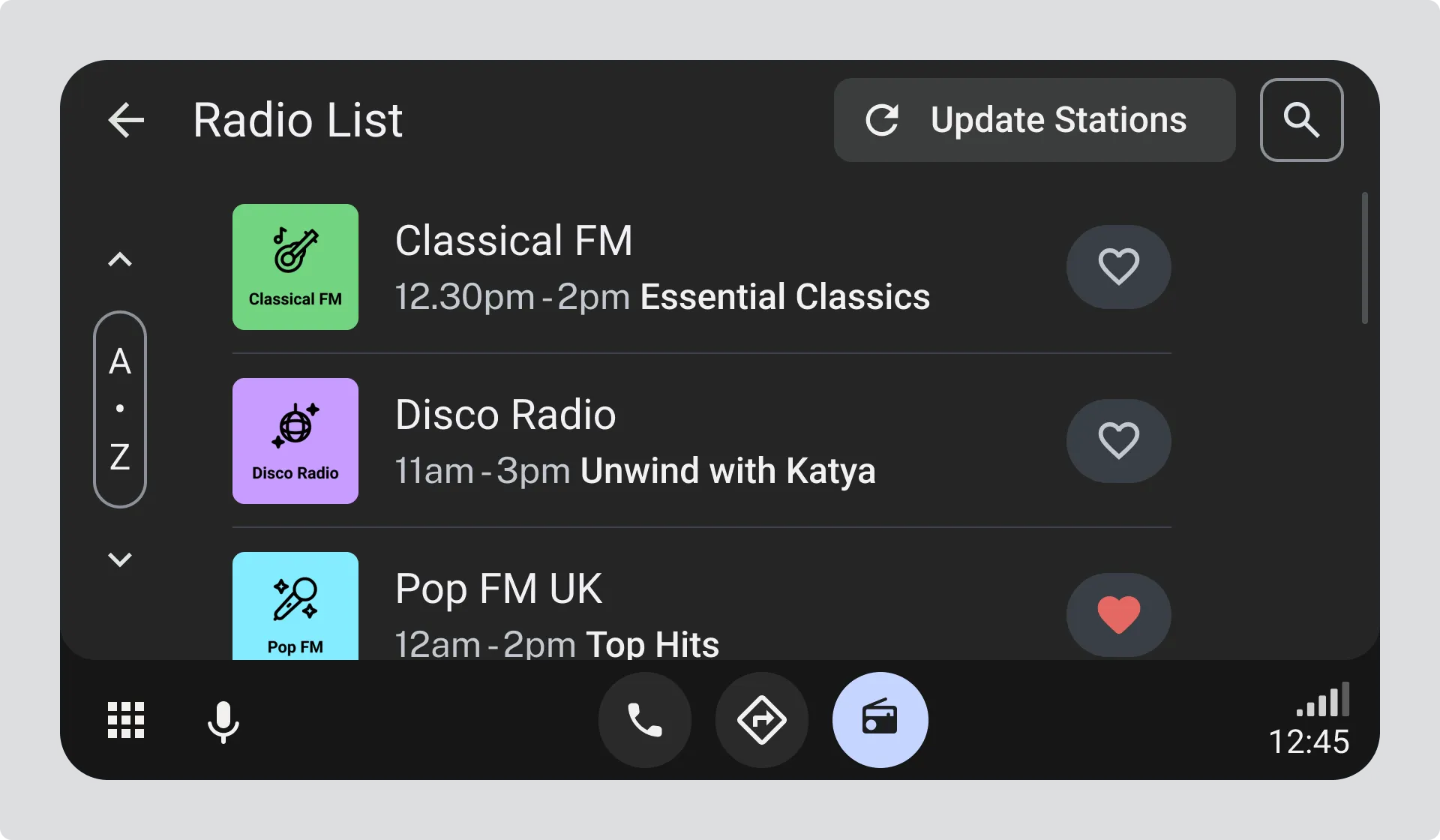
Section titled “1. Update available”The “Update stations” button is active, indicating that a refresh is available.
2. Update in progress
Section titled “2. Update in progress”When the user selects “Update stations”:
- The button becomes disabled and the label changes to “Updating stations…”.
- A spinner appears on relevant list items to show activity.
- Programme start and end times and programme information are temporarily replaced with updating text, as this information may no longer be accurate.
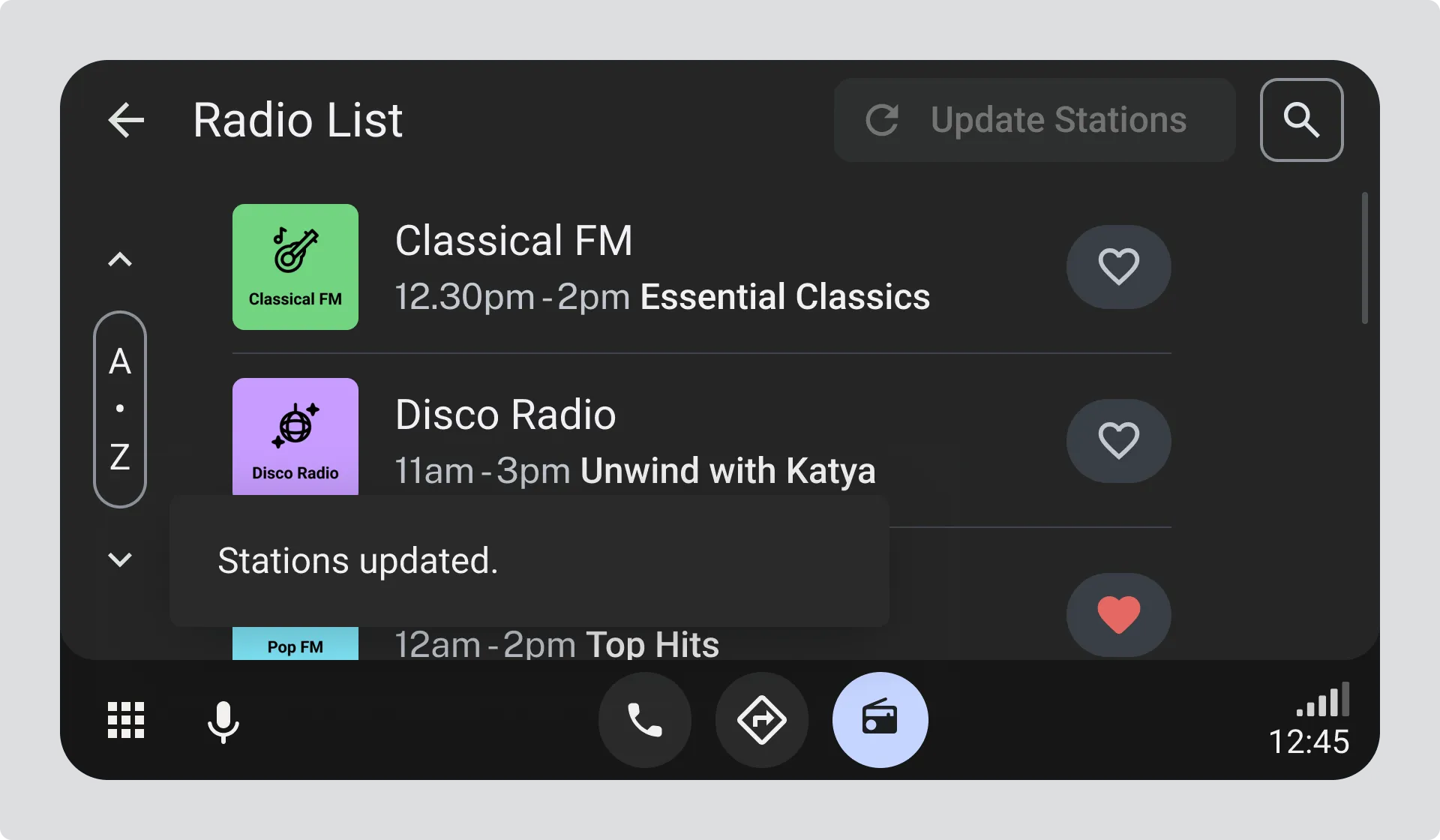
3. Update complete
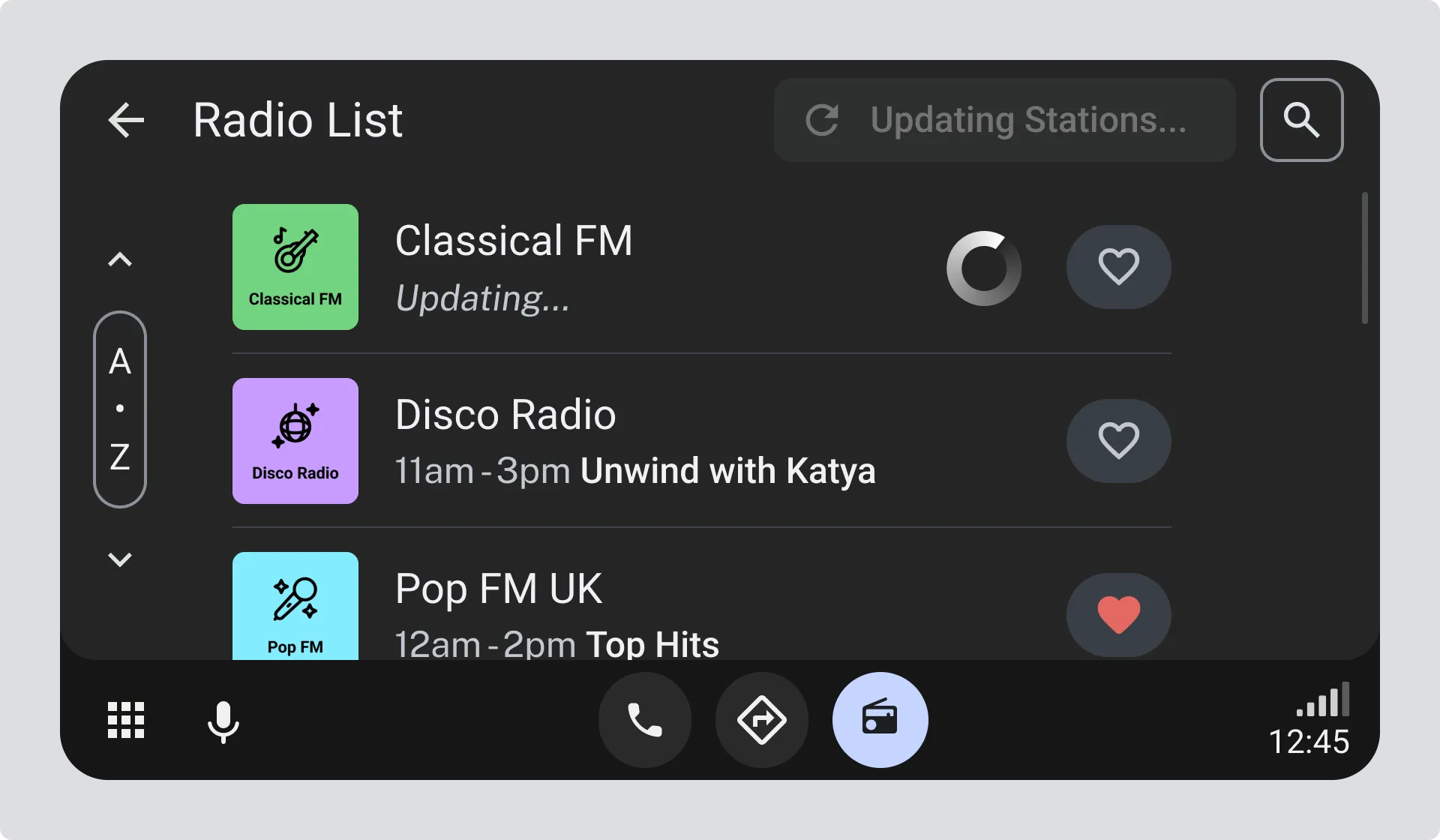
Section titled “3. Update complete”Once the update finishes:
- The station list reflects the latest available stations.
- The “Update stations” button remains disabled until another update is needed.
- Normal programme information is restored.
Progress-based feedback
Section titled “Progress-based feedback”Why this approach causes problems
Section titled “Why this approach causes problems”Station updates do not have a predictable duration, so progress indicators create false expectations. Users cannot tell whether the update will take seconds or minutes, which leads to uncertainty.