

Regulatory Prominence Requirements
Some countries require certain radio stations to be displayed in a particular order or given specific prominence over other services.
As a manufacturer, you can choose how to achieve that prominence while meeting local regulations. You need to make it clear to drivers how to access this subset of stations, and explain why they are appearing at a different location in the station list than expected.
How to show prominent stations
Section titled “How to show prominent stations”There are several approaches you can take:
Split the list into sections
Section titled “Split the list into sections”Divide your station list into two clear sections: “Required Prominent Stations” (whatever the specific regulatory terminology is, along with any required explanatory text) at the top, followed by “All Radio Stations” below. This creates a clear hierarchy while keeping all stations accessible.
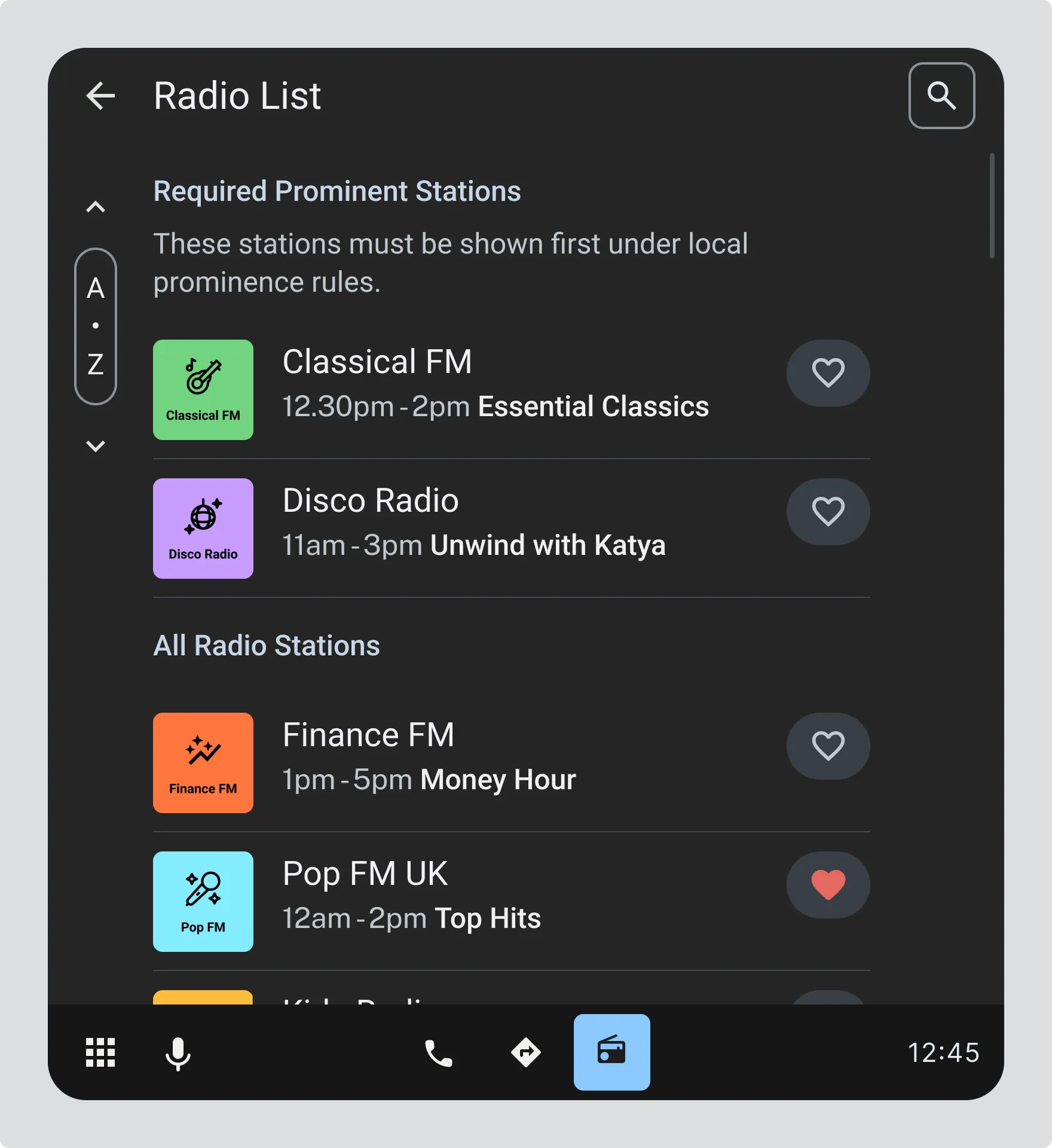
Image showing: Radio List with “Required Prominent Stations” section at top (Classical FM, Disco Radio). It may also be required to include explanatory text “These stations must be shown first under local prominence rules”, followed by “All Radio Stations” section below (Finance FM, Pop FM UK, etc.)
The actual naming (e.g. “prominent”, “priority”) and explanatory text will be specific to each regulatory requirement. The use of “prominent” here is only as an example.
Section titled “The actual naming (e.g. “prominent”, “priority”) and explanatory text will be specific to each regulatory requirement. The use of “prominent” here is only as an example.”Add a filter for prominent services
Section titled “Add a filter for prominent services”Provide a toggle or filter button that switches between “Prominent Services” and “All Radio stations”. This lets drivers choose their view while ensuring prominent stations are easily accessible. Use locally suggested wording and iconography for the button.
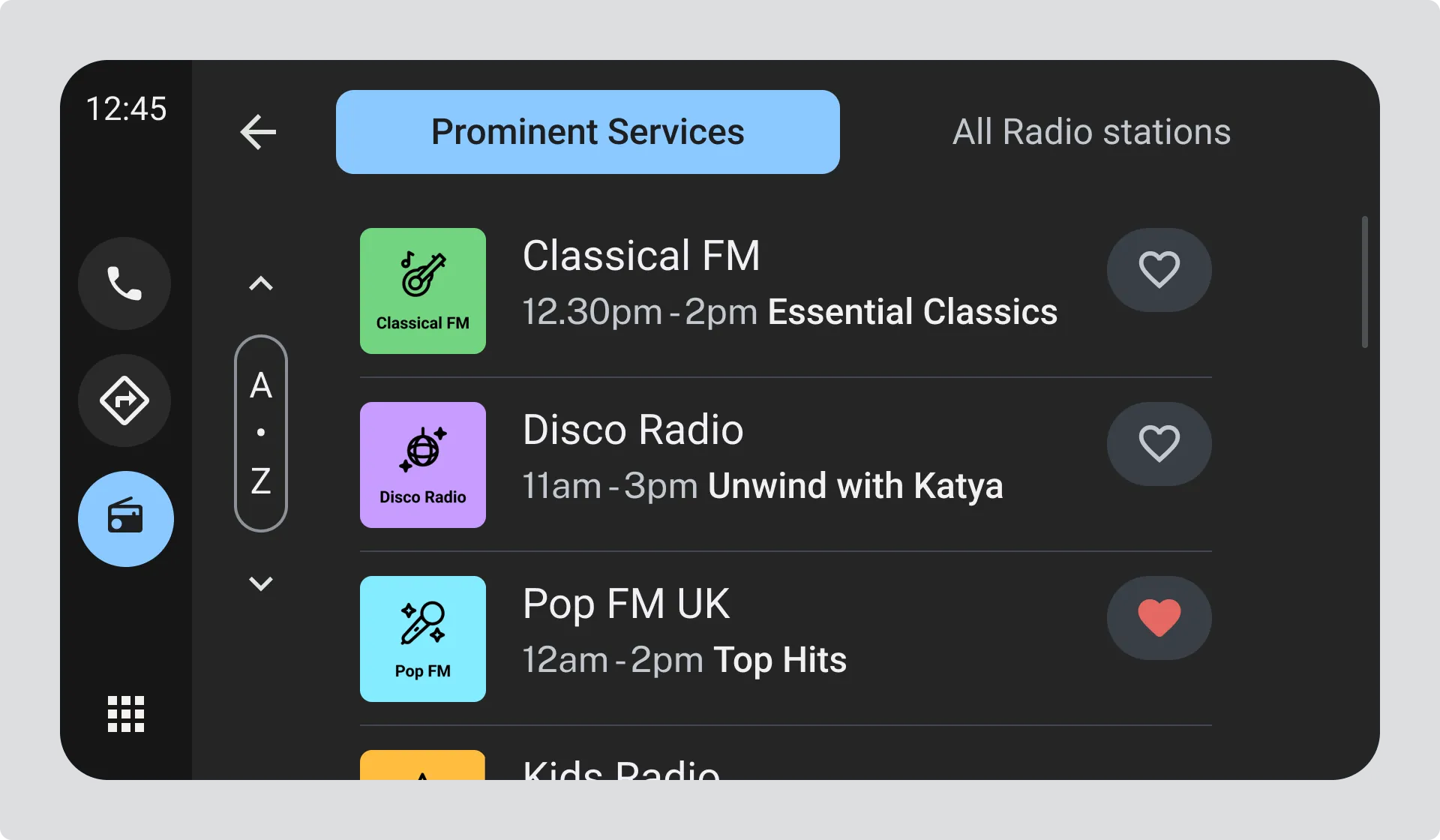
Image showing: Station list view with toggle between “Prominent Services” and “All Radio stations” tabs at the top, displaying Classical FM, Disco Radio, and Pop FM UK.
Visually highlight prominent services
Section titled “Visually highlight prominent services”Use visual treatment like badges to distinguish prominent stations within a single unified list.
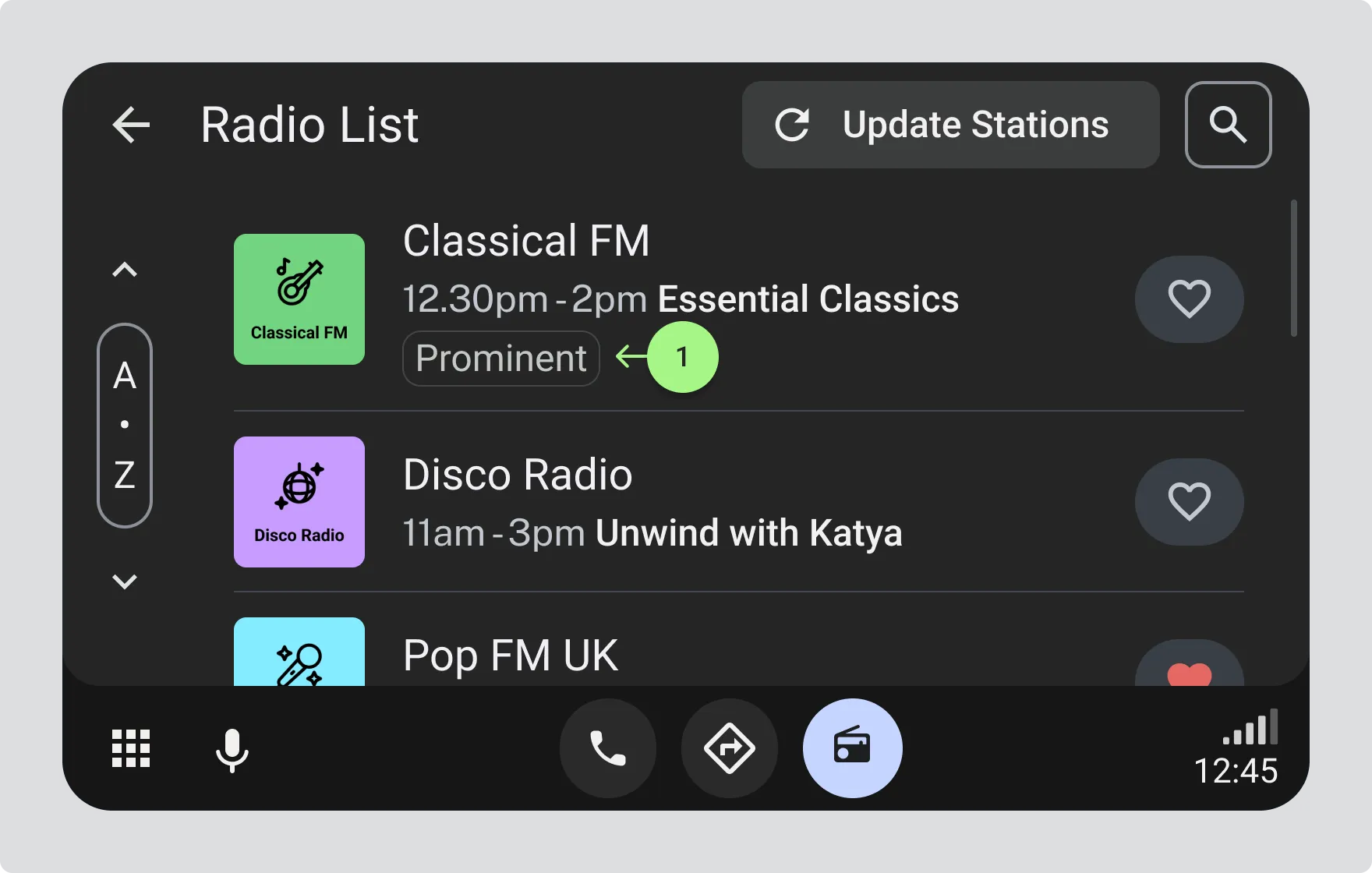
- Radio List with Classical FM displaying a “Prominent” badge